01
Event information scattered across emails, WhatsApp, Notes and desktop files
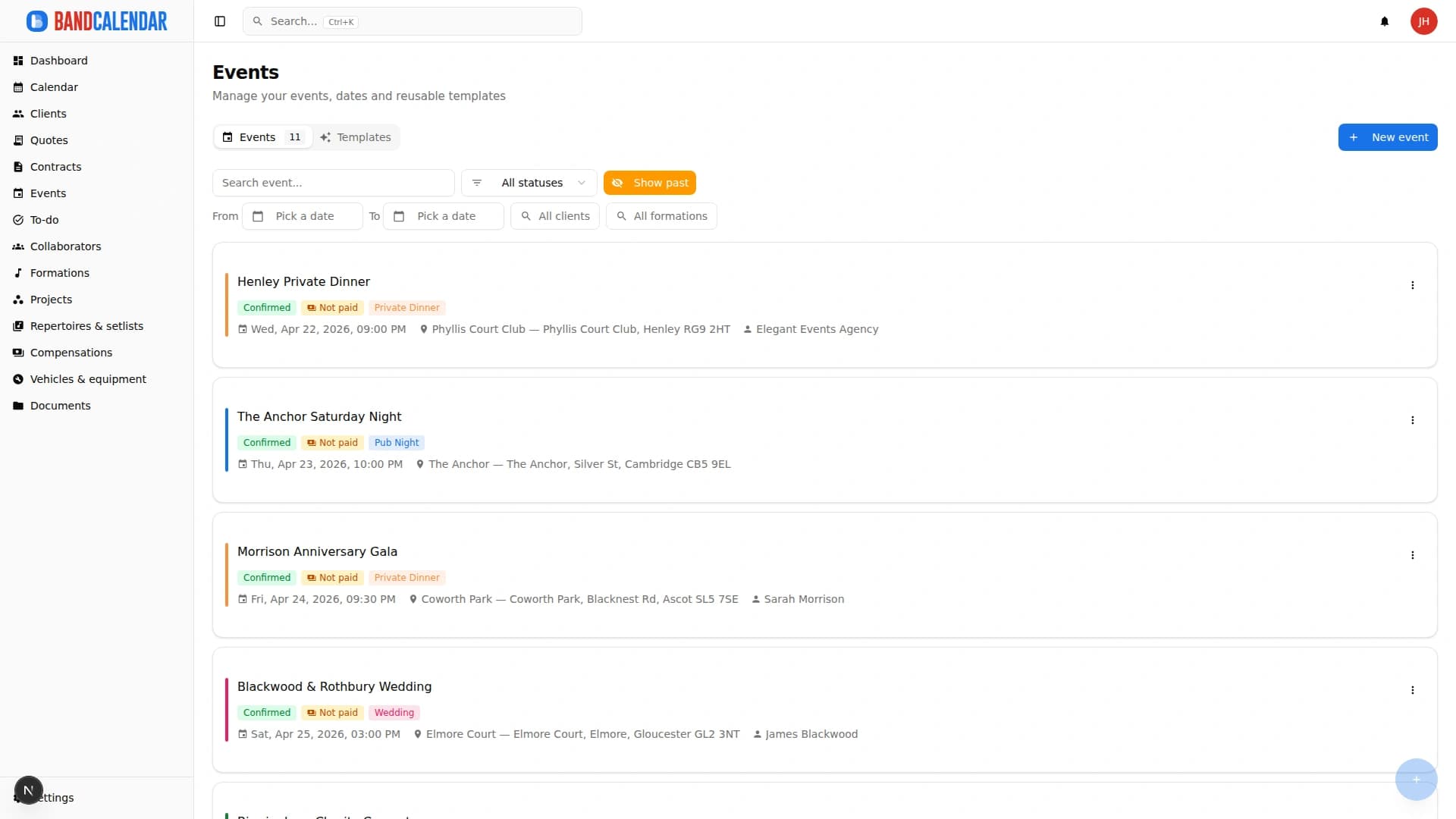
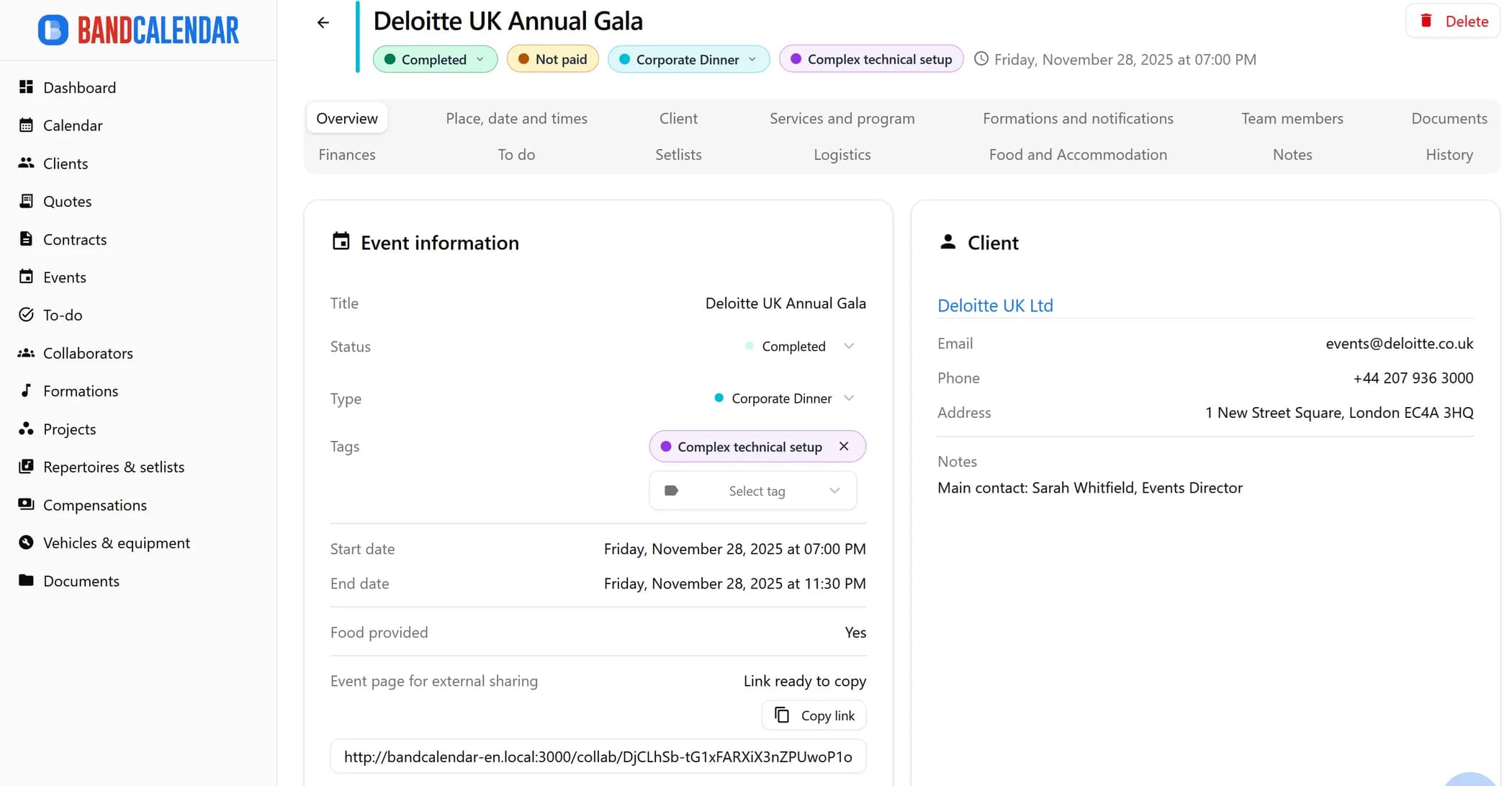
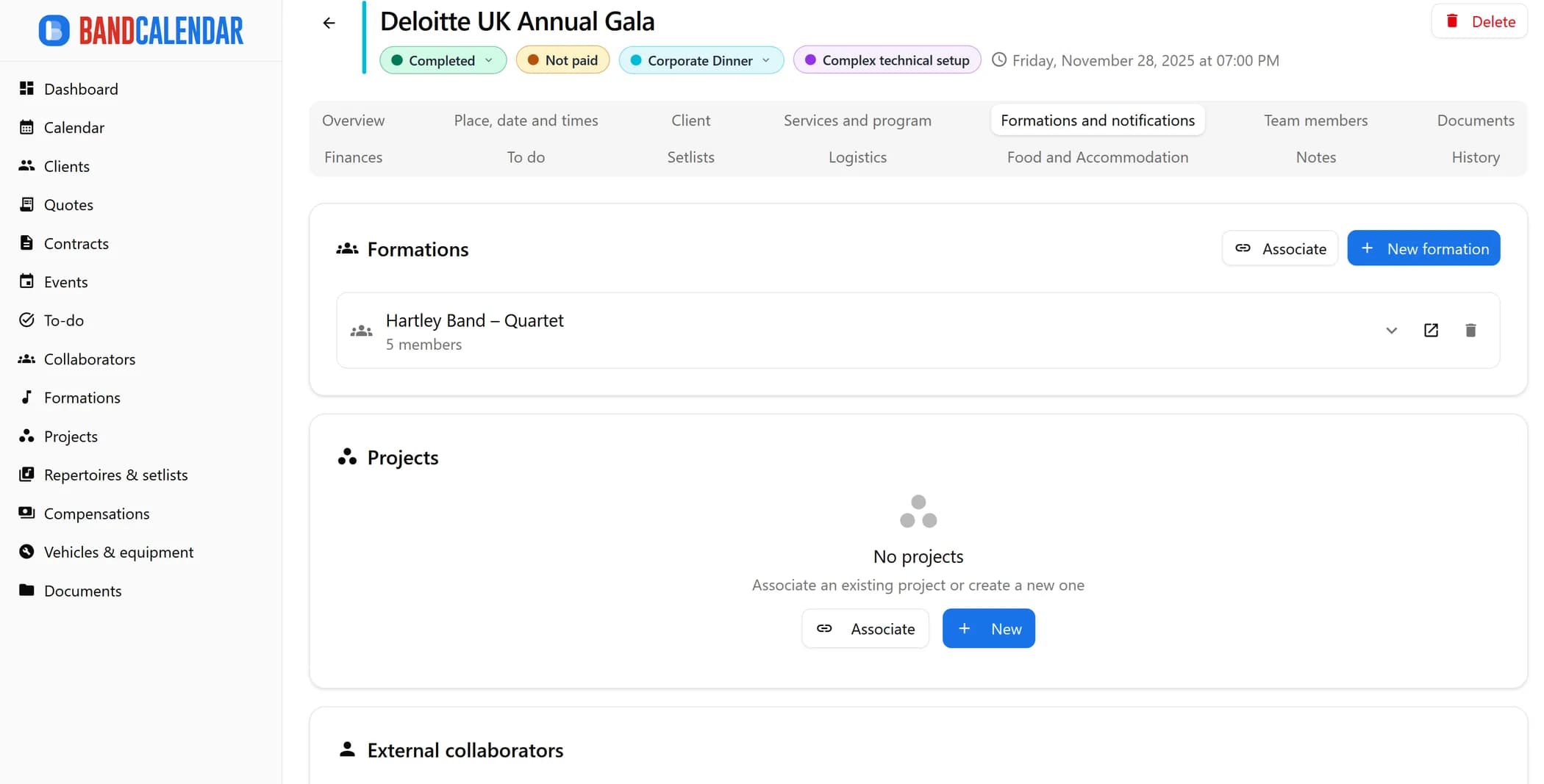
Every BandCalendar event is a full operational record: client, commercial overview, services and programme, lineups and notifications, documents, Finances, to-dos, setlists, logistics, food and accommodation, notes and history.
In this page
Common friction
Event information scattered across emails, WhatsApp, Notes and desktop files
Difficulty communicating timings, addresses and instructions to all musicians before the day
Contracts, setlists, Finances and technical documents hard to find at the last minute
No place to check at a glance whether the event is confirmed, paid and complete
Past event history hard to review when renegotiating prices or reproposing a service
Definition
An event record for bands and musicians brings together client, services and programme, lineups, documents, Finances, setlists, logistics, hospitality and history. In BandCalendar it is the operational centre of the booking, not just a calendar appointment.
Workflow
Enter name, type, date, venue, client and read the commercial overview (quotes, contracts, collections).
Create or import services, order activities and separators without mixing order and times.
Assign personnel, collaborator notifications, setlists and operational files with controlled visibility.
Vehicles, equipment, timings, food and accommodation (hidden for streaming-only events).
Collections, customer refunds, costs, fees and corrections stay in Finances; history keeps the actions.
Connected features
Product screenshots
Try the workflow
Use the free plan to reproduce this workflow with your real clients, events, documents and collaborators.
Start by setting up
Internal links
An operational calendar for musicians and bands that connects sales pipeline, clients, gigs, rehearsals, tasks, reminders, lineups, documents, Excel export and personal Google Calendar and Apple Calendar/iCloud sync.
Create professional quotes and contracts for music services from separate content and layout templates, with rich text editing, preview-consistent PDFs, services and expense reimbursements, online quote acceptance, public links and click-to-accept simple electronic signature without a client account.
Organize repertoires, song catalog, keys, notes, total duration, event setlists, song requests from the audience or client, exports and public shares in a workflow connected to events.
Manage the band's real lineup: core musicians, substitutes, extra collaborators, roles, instruments, lineups, projects, linked events, payments, documents and different team permissions.
Track event money on two clear layers: client collections and customer refunds (commercial documents and the Finances tab), and collaborator fees with advances, line items, withholding and expense reimbursements. Summaries by period, event or musician.
Organize PDFs, riders, contracts, quotes, images, audio, video, versions and public links in a cloud archive connected to clients, events, collaborators, lineups and projects, with contextual upload dialogs, PWA offline and controlled collaborator visibility on the event.
BandCalendar helps entertainment agencies, live-entertainment companies and organizations coordinating many performers manage numerous lineups and projects, clients, events, documents and finances through a multi-user team with granular permissions.
FAQ
Yes. Each event has a configurable status: you can distinguish requests, confirmations, events in preparation, completed or cancelled.
Yes. From the event detail you associate quotes and contracts and read the commercial overview on the overview tab.
It is the tab where you manage included services and the day programme (activities, separators, import from a quote) without mixing order and times.
In the Finances tab: agreed revenue, collections, customer refunds, costs and fees stay distinct; the global Fees section deep-dives into cachets.
Yes. You can link operational files and choose which ones collaborators see on the restricted public page.
From the events list filter by period, type or status. The detail keeps history, Finances, lineup, setlist and documents.
Compare related workflows, then open the free plan when you are ready to test it on a real booking.