01
Duplicate, outdated musician contact lists separated from real bookings
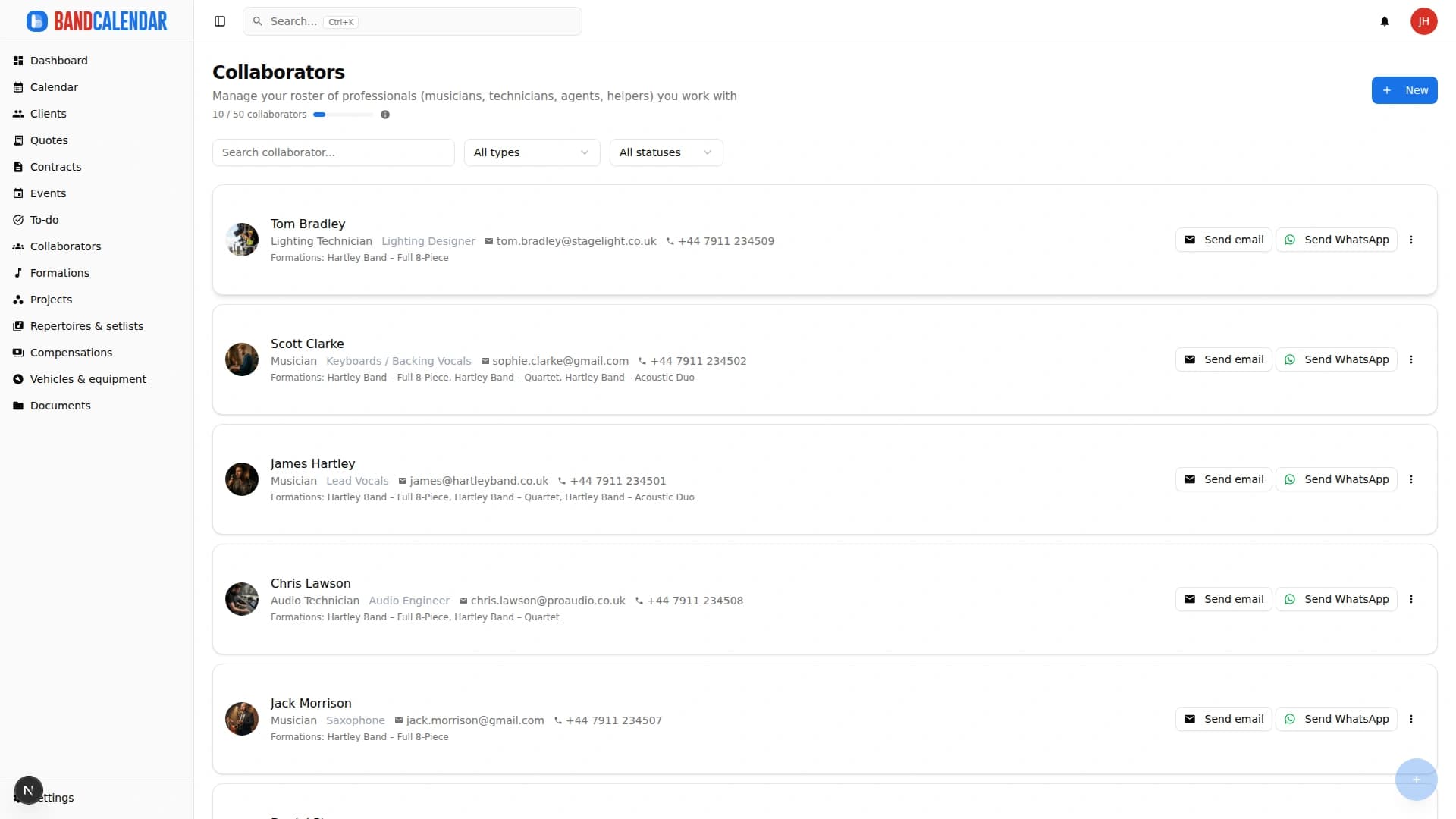
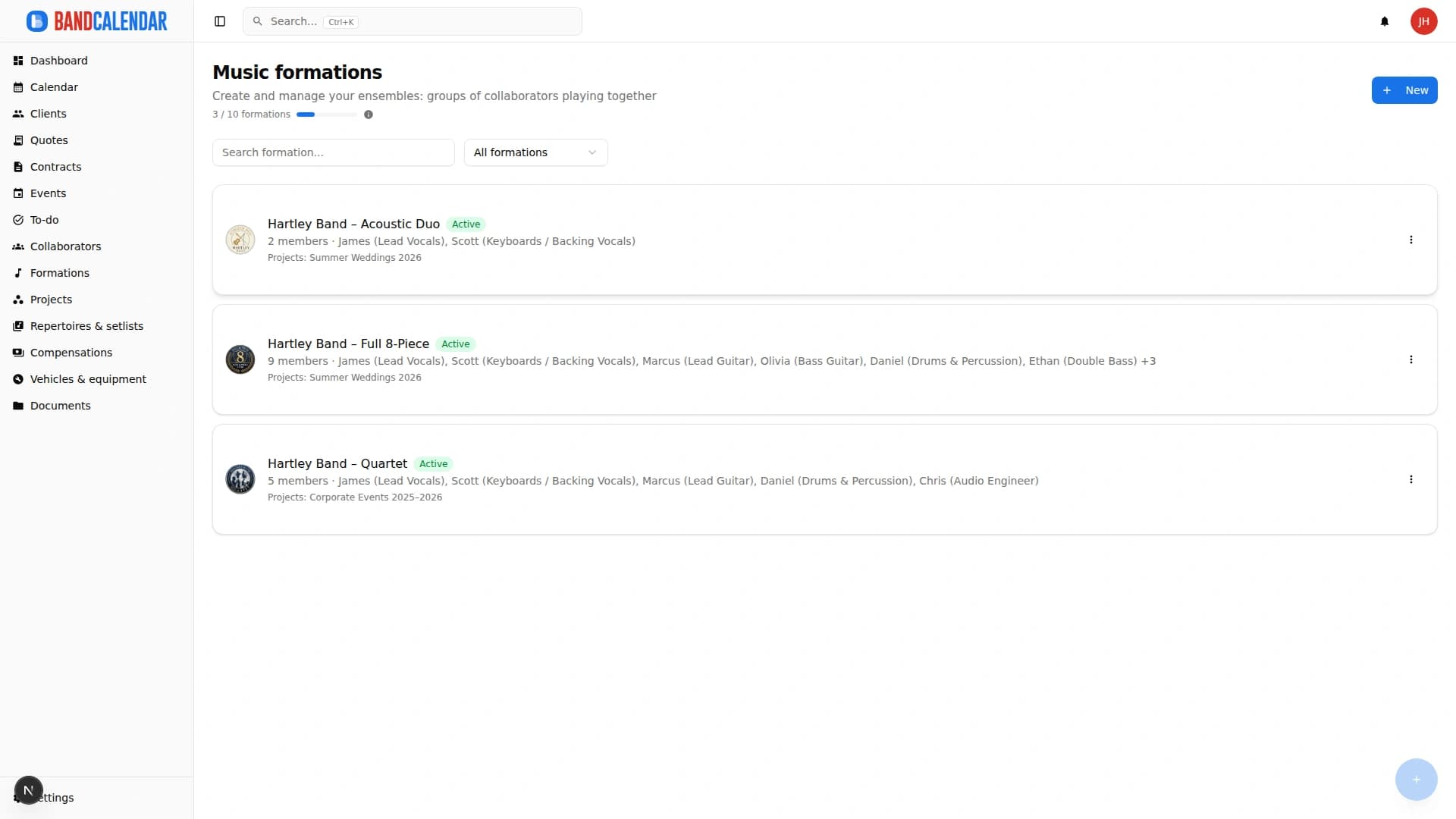
Manage the band's real lineup: core musicians, substitutes, extra collaborators, roles, instruments, lineups, projects, linked events, payments, documents and different team permissions.
In this page
Common friction
Duplicate, outdated musician contact lists separated from real bookings
Who plays in which lineup is not always clear when there are substitutes or extra collaborators
Real lineup differing from the standard lineup and hard to communicate to the team
Payments, documents, photos and collaborator history rebuilt every time
Different permissions to manage for owners, admins, team members and collaborators with limited access
Definition
Collaborator and lineup management for bands organises records, roles, reusable lineups, substitutions, linked events, documents and fees. In BandCalendar the real lineup for a date can differ from the standard formation without losing history.
Workflow
Save contacts, role, instrument, collaborator type, base fee, photo, notes and documents.
Group recurring musicians by project, ensemble, band, section or service.
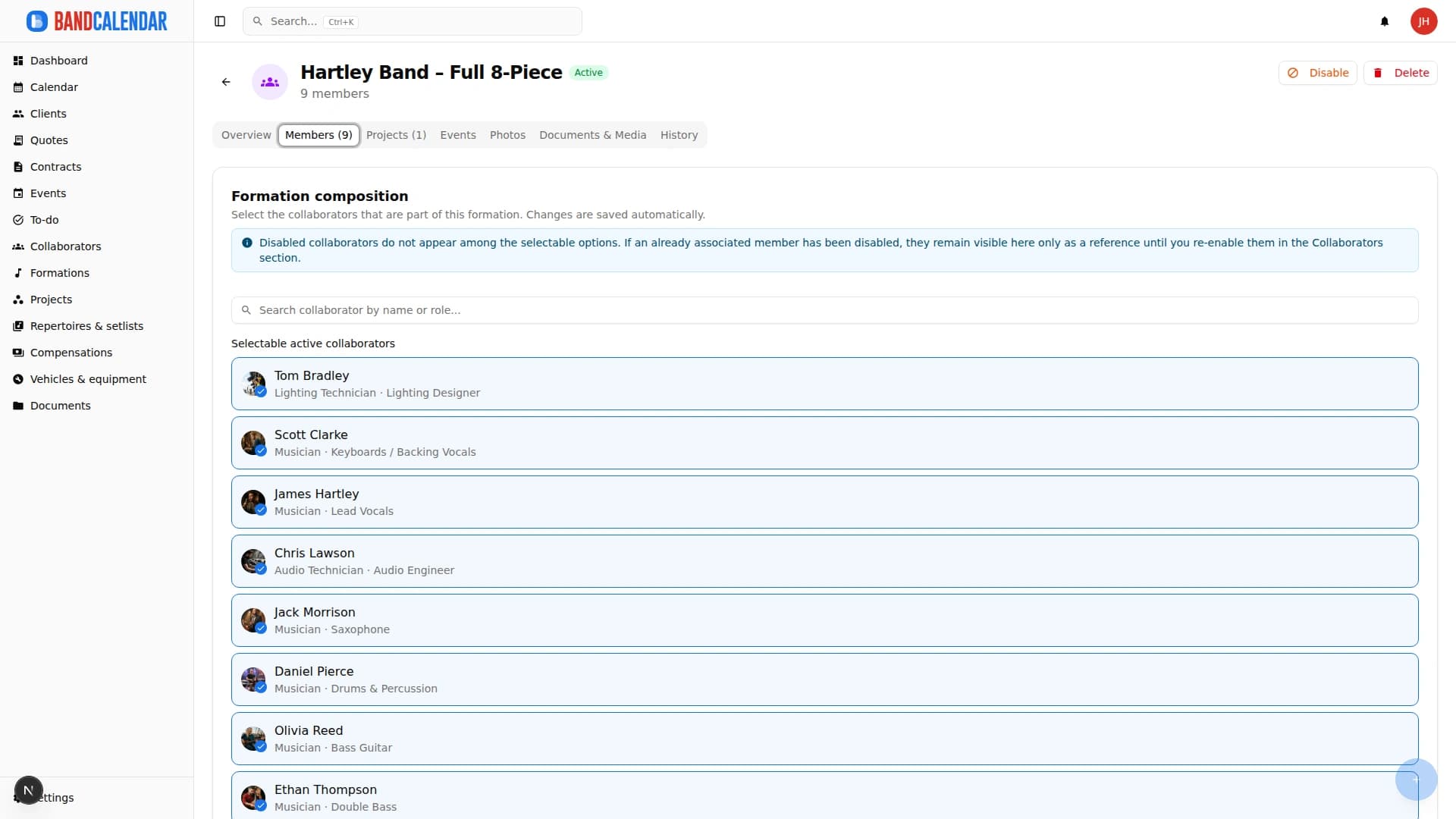
Each event can have a lineup, substitutions, extra collaborators, roles and specific fees.
Photos, materials, fees, advances and history stay readable on the collaborator and event.
Invite team members with different permissions so not everyone can see or edit everything.
Connected features
Product screenshots
Try the workflow
Use the free plan to reproduce this workflow with your real clients, events, documents and collaborators.
Start by setting up
Internal links
BandCalendar helps orchestras, ensembles, collectives and larger lineups coordinate musicians, roles, lineups, substitutions, projects, events, documents and payments without losing visibility on who plays what, where and when.
BandCalendar helps concert bands, tribute bands, entertainment agencies, promoters and live-entertainment companies manage gigs, tours, venues, changing lineups, setlists, technical documents, logistics, fees and reimbursements in one workspace.
BandCalendar helps wedding bands and live musicians turn inquiries, quotes, contracts, repertoires, setlists, logistics and payments into one workflow that the whole team can use before, during and after the event.
An operational calendar for musicians and bands that connects sales pipeline, clients, gigs, rehearsals, tasks, reminders, lineups, documents, Excel export and personal Google Calendar and Apple Calendar/iCloud sync.
Track event money on two clear layers: client collections and customer refunds (commercial documents and the Finances tab), and collaborator fees with advances, line items, withholding and expense reimbursements. Summaries by period, event or musician.
Organize PDFs, riders, contracts, quotes, images, audio, video, versions and public links in a cloud archive connected to clients, events, collaborators, lineups and projects, with contextual upload dialogs, PWA offline and controlled collaborator visibility on the event.
FAQ
Yes. You can create non-core collaborators and assign them to events when needed.
Yes. A lineup can be associated with different projects and events.
Yes. Team members can have different roles and permissions.
Yes. Each event can have its own lineup, substitutions and extra collaborators.
Yes. From the collaborator detail you can view linked lineups, projects, events, documents, photos, fees and the History tab.
Lineups can show disabled members as history, so their operational context is not lost.
Compare related workflows, then open the free plan when you are ready to test it on a real booking.