01
Equipment list written on a sheet or sent via WhatsApp the night before
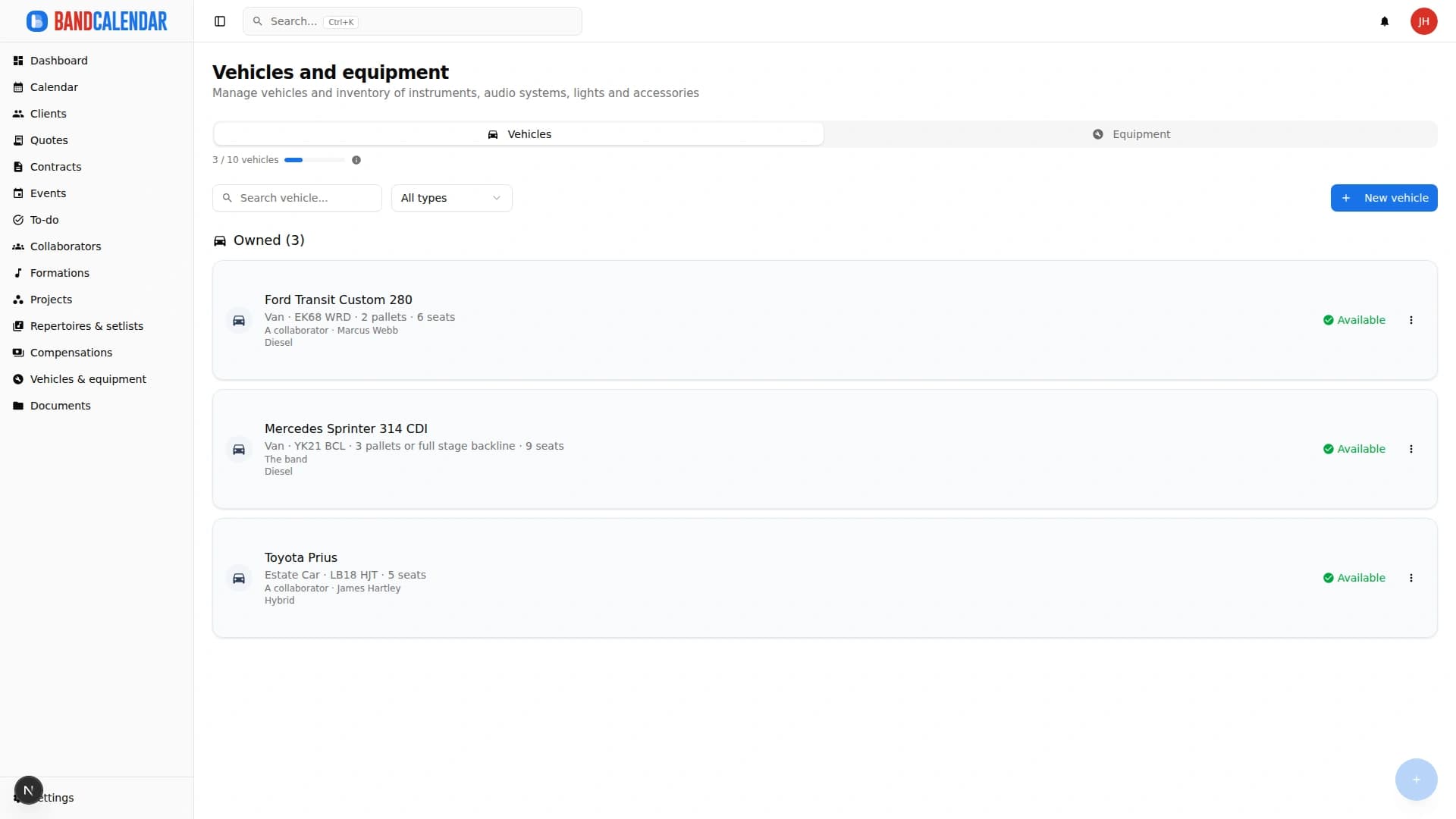
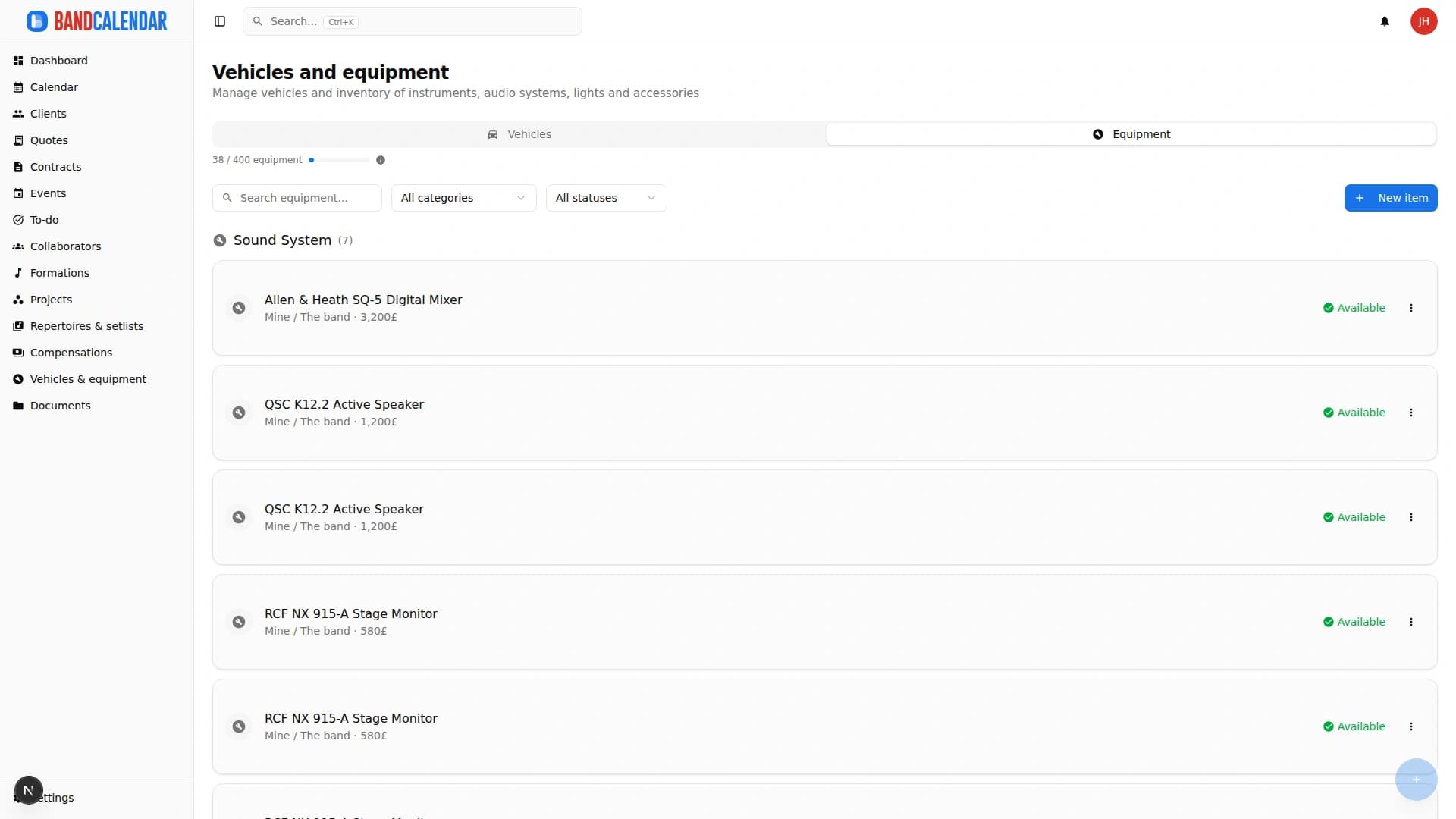
Keep the inventory of PA systems, lights, instruments, vans and cars in one place. Assign vehicles and equipment to events, create preset sets for recurring configurations and always know what to bring, who drives and what's where.
In this page
Common friction
Equipment list written on a sheet or sent via WhatsApp the night before
Hard to remember who brings what, which van is available and whether the PA is already booked
Equipment assigned to two events on the same day without anyone noticing
Outdated inventory: broken, missing or out-of-service items not flagged
Having to reorganise from scratch which items to bring for a given configuration every time
Definition
Vehicle and equipment management for bands centralises inventory, status, preset sets and assignments to dates. In BandCalendar event logistics shows availability and what to bring, reducing double-booking and last-minute WhatsApp lists.
Workflow
Add vehicles with plate, type and notes; add equipment with category, condition and photo.
Group recurring items into reusable sets: 'Wedding setup', 'Club concert', 'Acoustic quartet'.
From the event, choose vehicles and equipment (or a full set); the system shows availability for that date.
Collaborators can see from the event what's assigned, who drives which vehicle and which items to prepare.
Mark items as under maintenance, out of service or returned: the inventory stays accurate.
Connected features
Product screenshots
Try the workflow
Use the free plan to reproduce this workflow with your real clients, events, documents and collaborators.
Start by setting up
Internal links
An operational calendar for musicians and bands that connects sales pipeline, clients, gigs, rehearsals, tasks, reminders, lineups, documents, Excel export and personal Google Calendar and Apple Calendar/iCloud sync.
Every BandCalendar event is a full operational record: client, commercial overview, services and programme, lineups and notifications, documents, Finances, to-dos, setlists, logistics, food and accommodation, notes and history.
Manage the band's real lineup: core musicians, substitutes, extra collaborators, roles, instruments, lineups, projects, linked events, payments, documents and different team permissions.
Organize PDFs, riders, contracts, quotes, images, audio, video, versions and public links in a cloud archive connected to clients, events, collaborators, lineups and projects, with contextual upload dialogs, PWA offline and controlled collaborator visibility on the event.
BandCalendar helps concert bands, tribute bands, entertainment agencies, promoters and live-entertainment companies manage gigs, tours, venues, changing lineups, setlists, technical documents, logistics, fees and reimbursements in one workspace.
FAQ
Yes. When you assign a vehicle to an event, BandCalendar shows availability based on other assignments already present for that date.
Yes. You can create a 'Full wedding setup' or 'Light quartet' set with your usual items and assign it to an event in one click.
Yes. Each item has an editable status: available, under maintenance or out of service. The status is visible when you assign the item to an event.
Yes. You can upload images for each item, useful for quickly identifying equipment or documenting its condition.
Yes. Anyone with access to the event can see the list of assigned vehicles and equipment in the logistics section.
Yes. Equipment categories are configurable: PA, lights, instruments, backline, transport or any other label useful to your band.
Compare related workflows, then open the free plan when you are ready to test it on a real booking.