01
Large lineups hard to update when availability, roles or substitutions change
BandCalendar helps orchestras, ensembles, collectives and larger lineups coordinate musicians, roles, lineups, substitutions, projects, events, documents and payments without losing visibility on who plays what, where and when.
In this page
Common friction
Large lineups hard to update when availability, roles or substitutions change
Multiple lineups to keep separate: full orchestra, reduced ensemble, quartet, horn section or string section
Events, rehearsals, concerts and special projects with different documents, setlists and notes
Fees, advances, reimbursements and balances to calculate for many collaborators
Operational information that must reach only the involved people without confusing the rest of the team
Definition
Orchestra and ensemble management software coordinates collaborators, roles, lineups, substitutions, projects, events, documents and payments when the lineup is large. It keeps who plays what, where and when readable without mixing personnel and payments.
Workflow
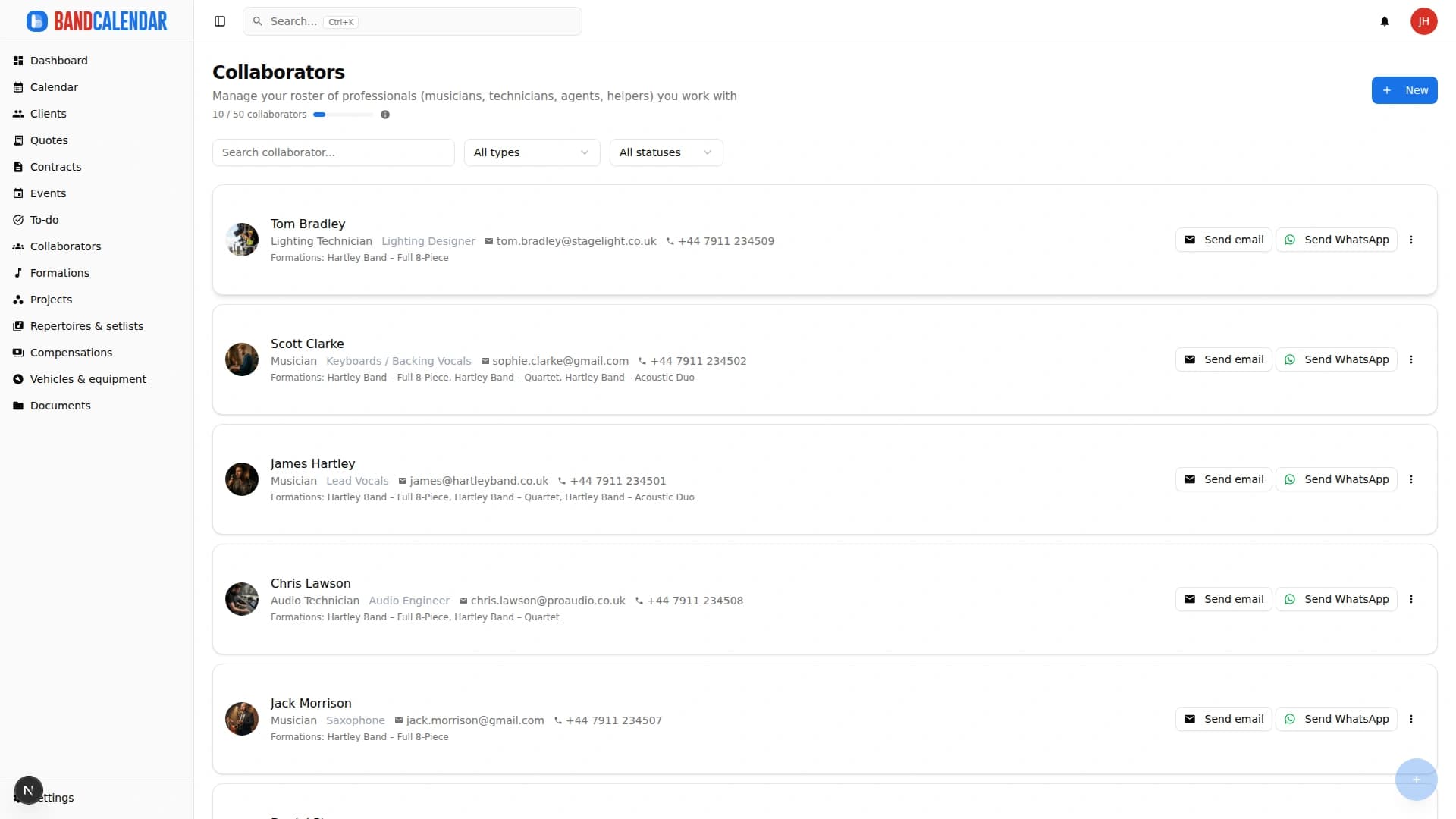
Record musicians, instruments, contacts, roles, notes and lineup associations.
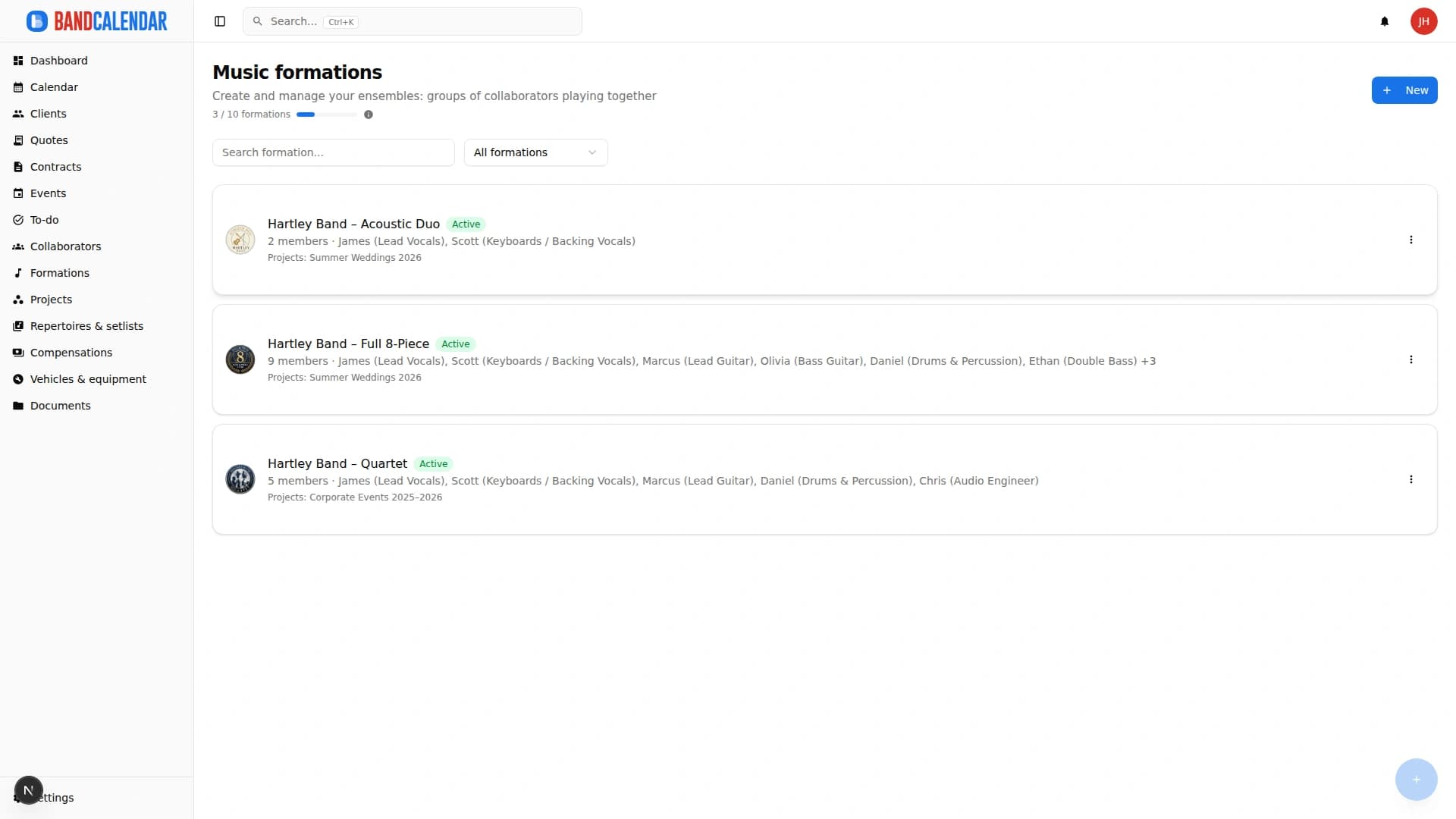
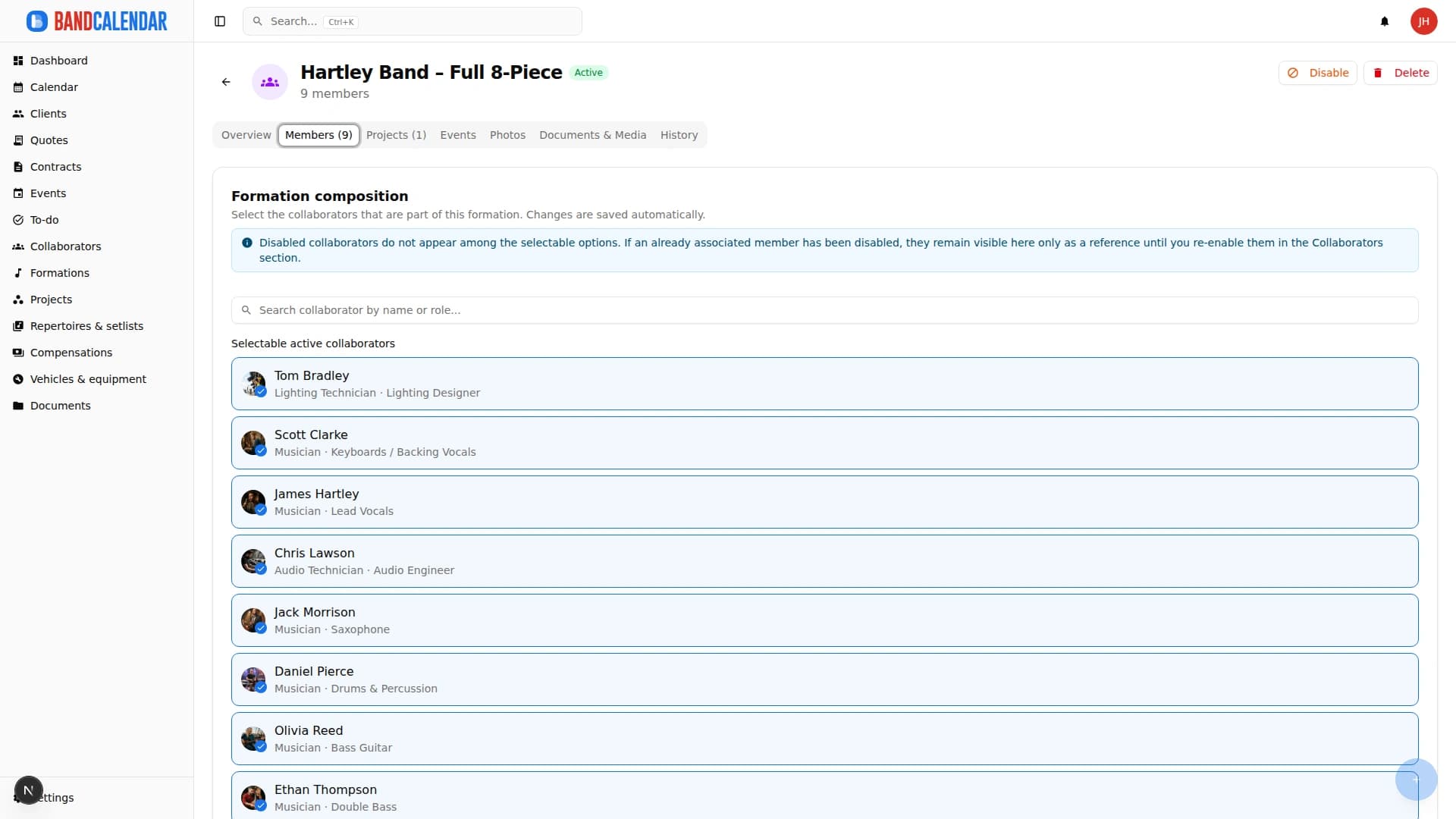
Create reusable setups for full orchestra, reduced ensemble, sections or specific projects.
Each date can use an existing lineup or adapt it with substitutions and extra collaborators.
Scores, riders, setlists, timings and notes stay linked to the event and available to the team.
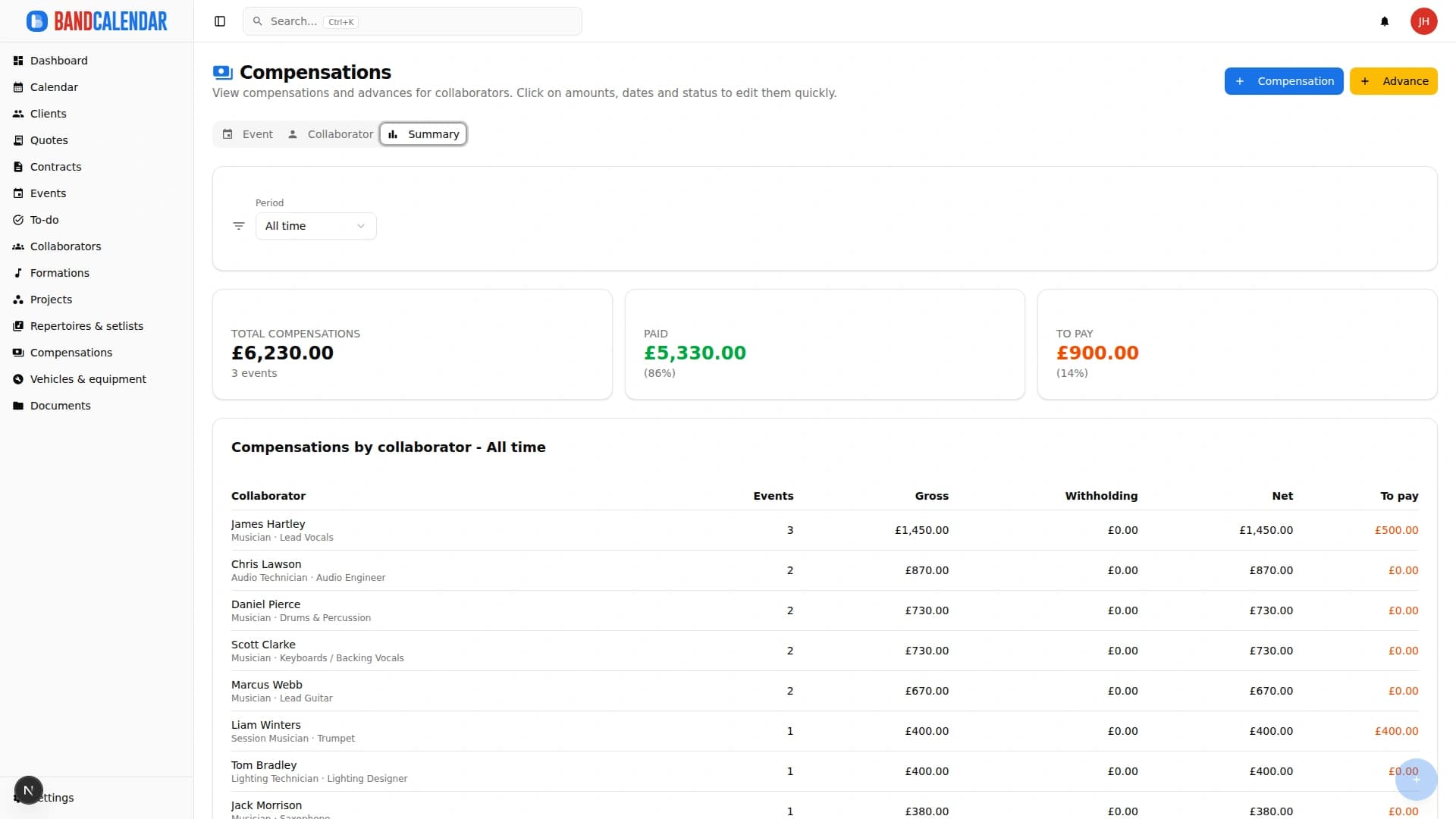
Track fees, advances, reimbursements, balances and activities for every involved collaborator.
Connected features
Product screenshots
Try the workflow
Use the free plan to reproduce this workflow with your real clients, events, documents and collaborators.
Start by setting up
Internal links
Manage the band's real lineup: core musicians, substitutes, extra collaborators, roles, instruments, lineups, projects, linked events, payments, documents and different team permissions.
Track event money on two clear layers: client collections and customer refunds (commercial documents and the Finances tab), and collaborator fees with advances, line items, withholding and expense reimbursements. Summaries by period, event or musician.
Organize PDFs, riders, contracts, quotes, images, audio, video, versions and public links in a cloud archive connected to clients, events, collaborators, lineups and projects, with contextual upload dialogs, PWA offline and controlled collaborator visibility on the event.
An operational calendar for musicians and bands that connects sales pipeline, clients, gigs, rehearsals, tasks, reminders, lineups, documents, Excel export and personal Google Calendar and Apple Calendar/iCloud sync.
Organize repertoires, song catalog, keys, notes, total duration, event setlists, song requests from the audience or client, exports and public shares in a workflow connected to events.
BandCalendar helps concert bands, tribute bands, entertainment agencies, promoters and live-entertainment companies manage gigs, tours, venues, changing lineups, setlists, technical documents, logistics, fees and reimbursements in one workspace.
FAQ
Yes. You can create different lineups and link them to events and projects: full orchestra, reduced ensemble, quartet, sections or special setups.
Yes. Each event can have its own lineup, collaborators and payments even when the setup differs from the standard lineup.
Yes. The Payments area shows amounts, advances, balances, reimbursements and payment status.
Yes. Documents and media can be uploaded and associated with events, lineups, projects or collaborators.
Yes. You can invite team members with different roles and permissions, limiting access to the information they need.
Yes. You can use calendar, projects, tasks, documents and notes for rehearsals, recordings, productions and preparation concerts.
Compare related workflows, then open the free plan when you are ready to test it on a real booking.