01
Who has been paid and who hasn't is unclear after events with multiple musicians
Track event money on two clear layers: client collections and customer refunds (commercial documents and the Finances tab), and collaborator fees with advances, line items, withholding and expense reimbursements. Summaries by period, event or musician.
In this page
Common friction
Who has been paid and who hasn't is unclear after events with multiple musicians
Client deposits, balances, contracts and quotes not aligned
Collaborator advances, expense reimbursements and withholding calculated manually
Hard to read income, expenses and balances by period or individual event
Base fees, multiple line items and economic notes rebuilt every time from chats or sheets
Definition
Fee and Finances management for bands separates money coming in from the client (collections and any customer refunds) from fees and advances paid to musicians. In BandCalendar the event Finances tab and the Fees section keep cachets, costs, cash and summaries readable without mixing the two flows.
Workflow
Connect a contract or accepted quote, agreed amount, client deposits and balances; customer refunds stay a separate flow from collections.
See agreed revenue, collections, customer refunds, operating costs, fees and cash margin according to permissions and plan.
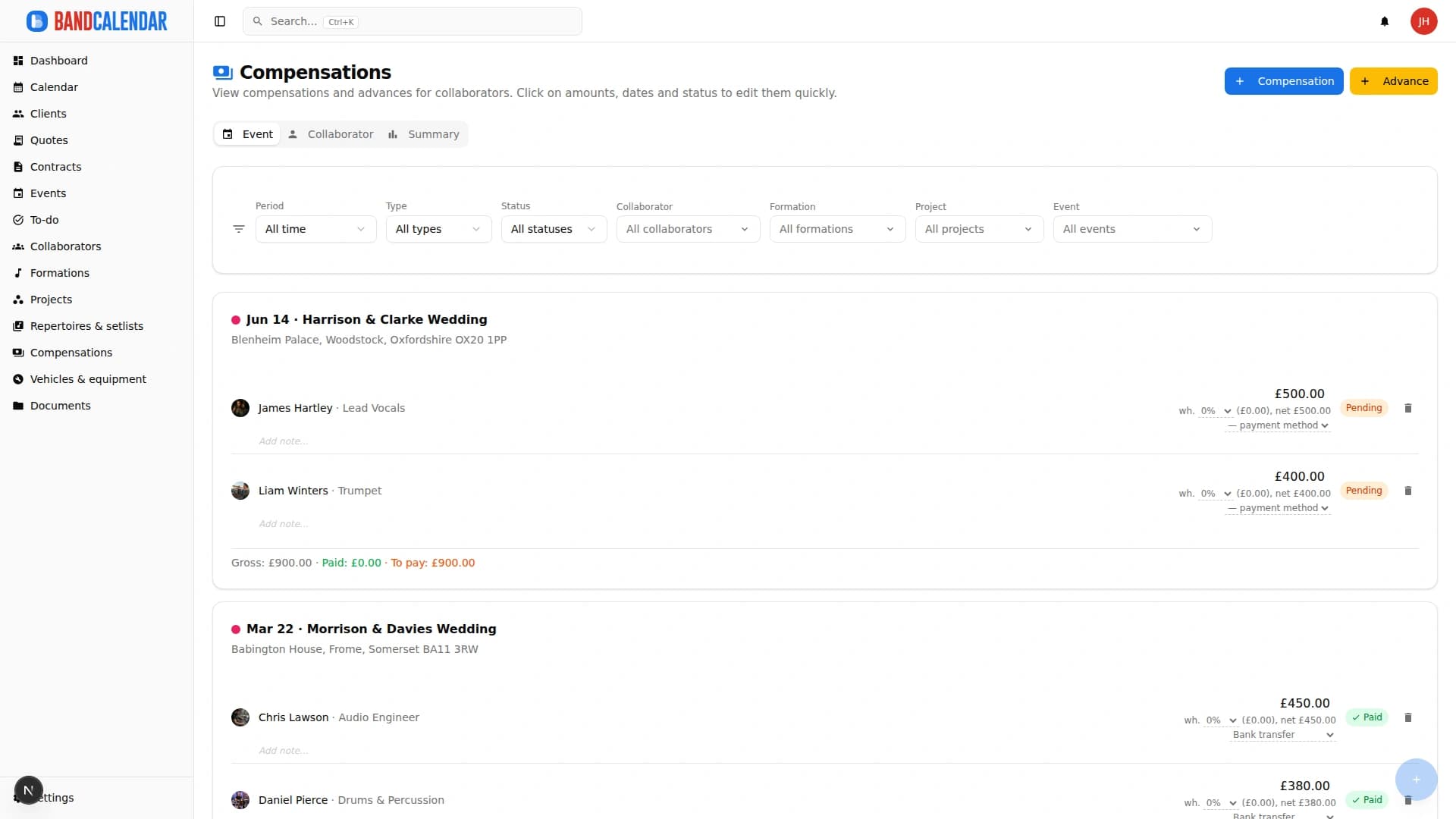
Add collaborator fees, multiple line items (including expense reimbursements), withholding and payment status toward musicians.
Record collaborator advances even before the final balance, keeping the residual amount visible.
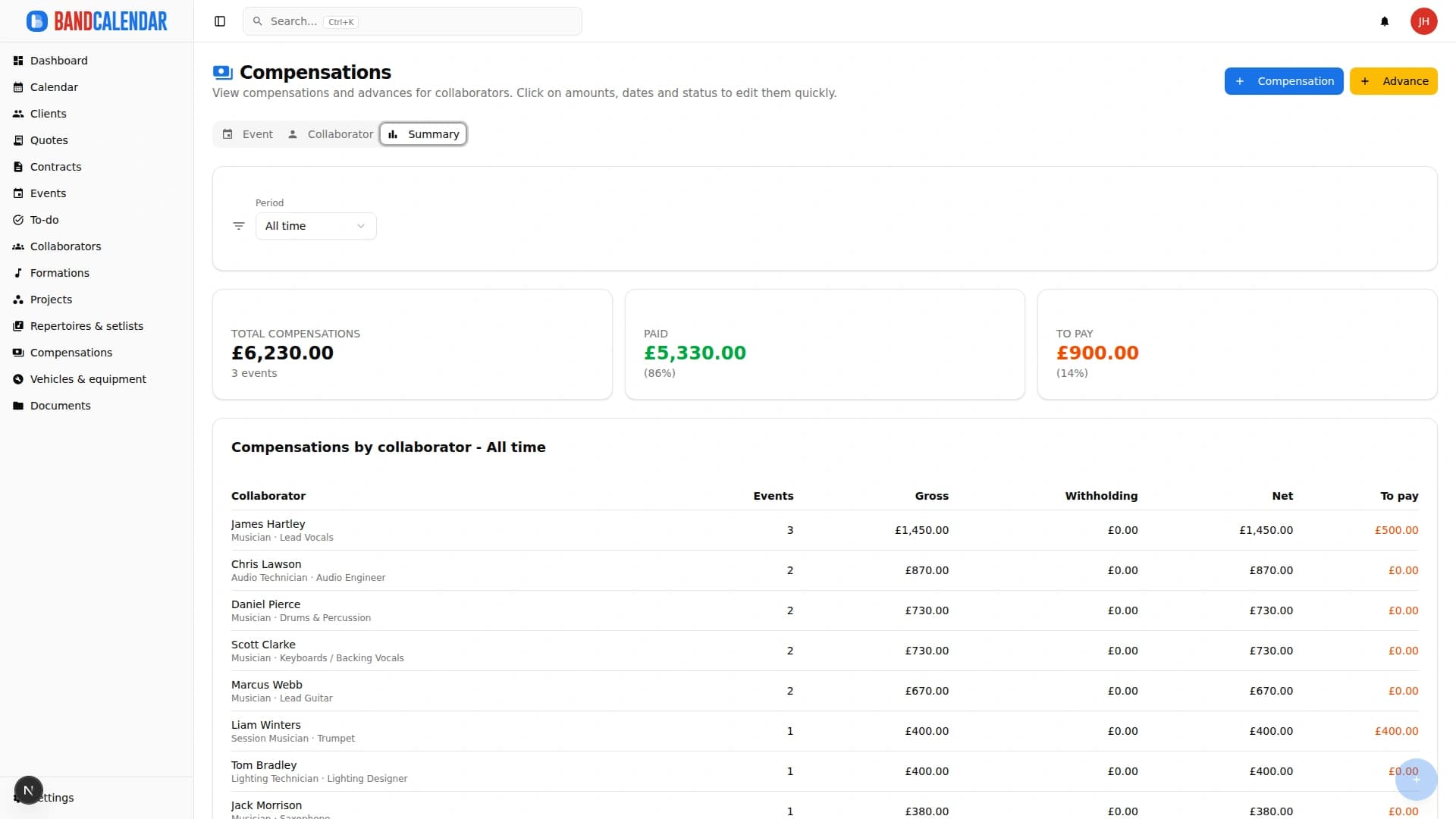
Event, Collaborator and Summary views show what still needs collecting or paying, with correctable history on paid movements.
Connected features
Product screenshots
Try the workflow
Use the free plan to reproduce this workflow with your real clients, events, documents and collaborators.
Start by setting up
Internal links
BandCalendar helps wedding bands and live musicians turn inquiries, quotes, contracts, repertoires, setlists, logistics and payments into one workflow that the whole team can use before, during and after the event.
BandCalendar helps concert bands, tribute bands, entertainment agencies, promoters and live-entertainment companies manage gigs, tours, venues, changing lineups, setlists, technical documents, logistics, fees and reimbursements in one workspace.
BandCalendar helps solo musicians and freelancers manage gigs, clients, quotes, contracts, repertoires, documents, payments, reminders and history without scattering information across phone, email and spreadsheets.
Create professional quotes and contracts for music services from separate content and layout templates, with rich text editing, preview-consistent PDFs, services and expense reimbursements, online quote acceptance, public links and click-to-accept simple electronic signature without a client account.
An operational calendar for musicians and bands that connects sales pipeline, clients, gigs, rehearsals, tasks, reminders, lineups, documents, Excel export and personal Google Calendar and Apple Calendar/iCloud sync.
Manage the band's real lineup: core musicians, substitutes, extra collaborators, roles, instruments, lineups, projects, linked events, payments, documents and different team permissions.
FAQ
Yes. Statuses and filters highlight paid, partial or unpaid collaborator fees.
No. Collections and customer refunds concern the client and commercial documents; fees and advances concern collaborators. The Finances tab keeps them distinct.
Yes. Fees support gross amounts, withholding and net amounts.
Yes. Fees support multiple line items, localized presets, custom entries and operational notes, including expense reimbursements.
Yes. The Fees section offers Event, Collaborator and Summary views with period and status filters.
Yes. They can be managed from the event detail (including Finances) and stay connected to collaborators, lineups, projects and history.
Compare related workflows, then open the free plan when you are ready to test it on a real booking.