01
Technical files scattered across personal clouds, chats, computers and expired links
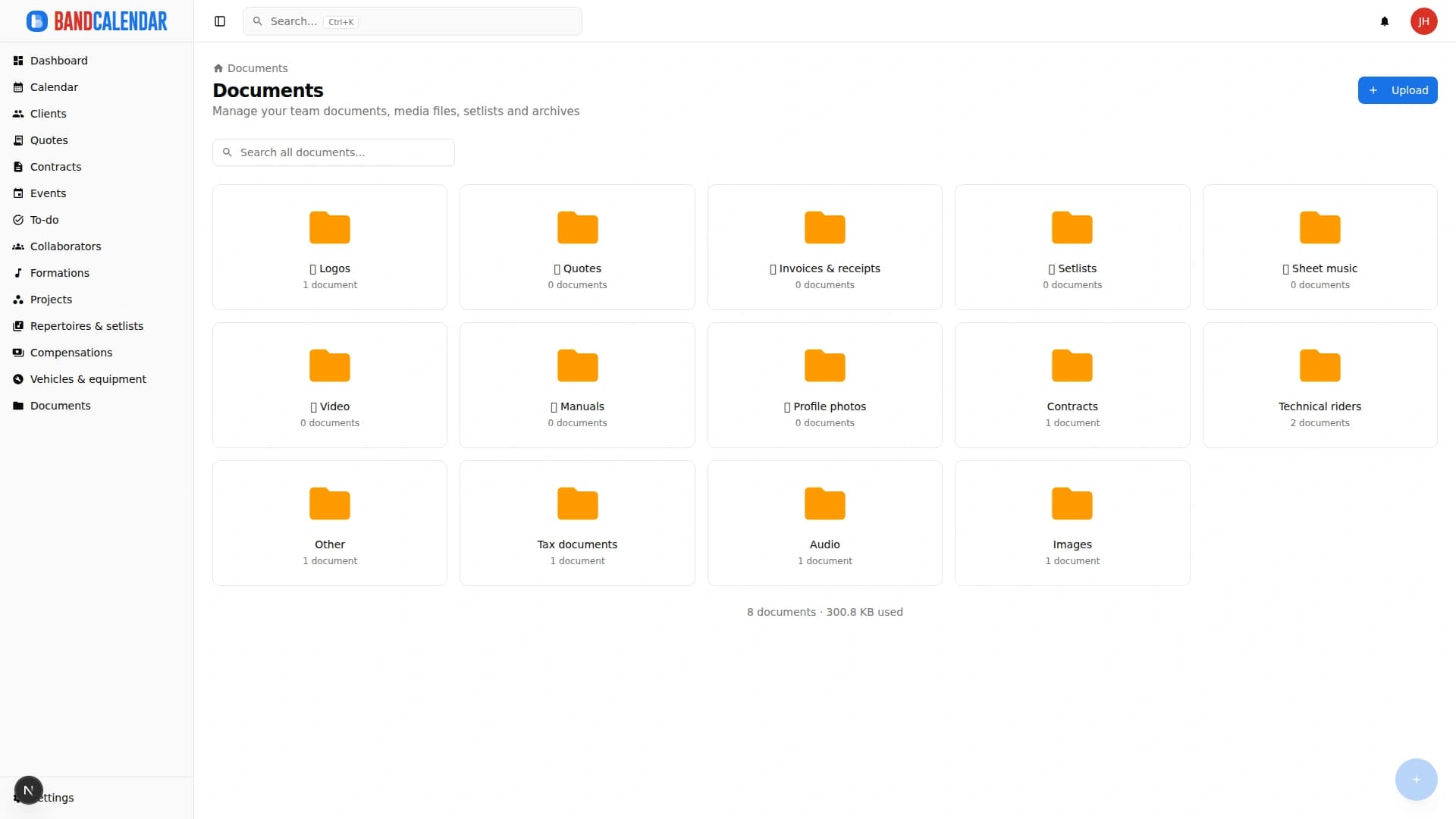
Organize PDFs, riders, contracts, quotes, images, audio, video, versions and public links in a cloud archive connected to clients, events, collaborators, lineups and projects, with contextual upload dialogs, PWA offline and controlled collaborator visibility on the event.
In this page
Common friction
Technical files scattered across personal clouds, chats, computers and expired links
Old versions of riders, contracts, quotes or technical sheets sent by mistake
Photos, demos, videos and promotional documents hard to find when replying to a client
Documents linked to events, clients or collaborators not visible from the operational context
Public shares not tracked and hard to revoke or update
Definition
A document archive for bands and musicians centralises PDFs, riders, media and versions and links them to events, clients and collaborators. In BandCalendar you can upload in context, share with public links, save offline in the PWA and expose only operational event files to collaborators.
Workflow
From Upload you open a dialog (you stay in the archive): file, category, version label, notes and event or client associations.
Update a document without losing history so the team uses recognizable, up-to-date versions.
Link files to events, clients, collaborators, lineups and projects to find them from the right context.
Thumbnails and previews help distinguish files; in the PWA you can mark documents or folders for offline availability.
Generate public links (duration and password from detail when needed) and, on the event, choose which operational files collaborators can see.
Connected features
Product screenshots
Try the workflow
Use the free plan to reproduce this workflow with your real clients, events, documents and collaborators.
Start by setting up
Internal links
Create professional quotes and contracts for music services from separate content and layout templates, with rich text editing, preview-consistent PDFs, services and expense reimbursements, online quote acceptance, public links and click-to-accept simple electronic signature without a client account.
BandCalendar helps wedding bands and live musicians turn inquiries, quotes, contracts, repertoires, setlists, logistics and payments into one workflow that the whole team can use before, during and after the event.
BandCalendar helps musicians, bands and small ensembles manage private parties, corporate events, receptions and custom bookings with clients, quotes, contracts, timings, venues, documents and payments always connected.
BandCalendar helps concert bands, tribute bands, entertainment agencies, promoters and live-entertainment companies manage gigs, tours, venues, changing lineups, setlists, technical documents, logistics, fees and reimbursements in one workspace.
An operational calendar for musicians and bands that connects sales pipeline, clients, gigs, rehearsals, tasks, reminders, lineups, documents, Excel export and personal Google Calendar and Apple Calendar/iCloud sync.
Organize repertoires, song catalog, keys, notes, total duration, event setlists, song requests from the audience or client, exports and public shares in a workflow connected to events.
FAQ
There are no application-level format limits: you can archive documents, images, audio, video and other files within plan quota.
Yes. Documents support versioning to keep history and current files.
Yes. You can generate tokenized public links; from the detail you can set duration and, if needed, a password.
Yes. Files can be associated with events, clients, collaborators, lineups and projects; on the event you choose collaborator visibility only for operational files.
Yes. Generated PDF versions can be saved and viewed as linked documents.
Yes, in the PWA: you can mark documents or categories for offline viewing of what has already been saved locally.
Compare related workflows, then open the free plan when you are ready to test it on a real booking.