Home/Features
What BandCalendar does

BandCalendar features: quotes, events, setlists and team ops

Client CRM and emails from the app, PDF quotes, contracts with click-to-accept simple electronic signature, event calendar, tasks and rehearsals, setlists and repertoires, Finances and musician fees, documents, collaborators, team permissions, logistics, data backup and mobile PWA: every area works with the others, from first contact to settlement.

  • Quotes and contracts with PDFs, public links and click-to-accept
  • Clients, emails, events, setlists, Finances, documents and logistics connected
  • Mobile PWA, Google and Apple Calendar, team permissions, data backup and archive

Guided choice

How to choose a feature

Start from the operational piece you care about. Each page covers friction, workflow, features and FAQs; Solutions show the same product by profile (wedding band, DJ, agency…).

Professional documents

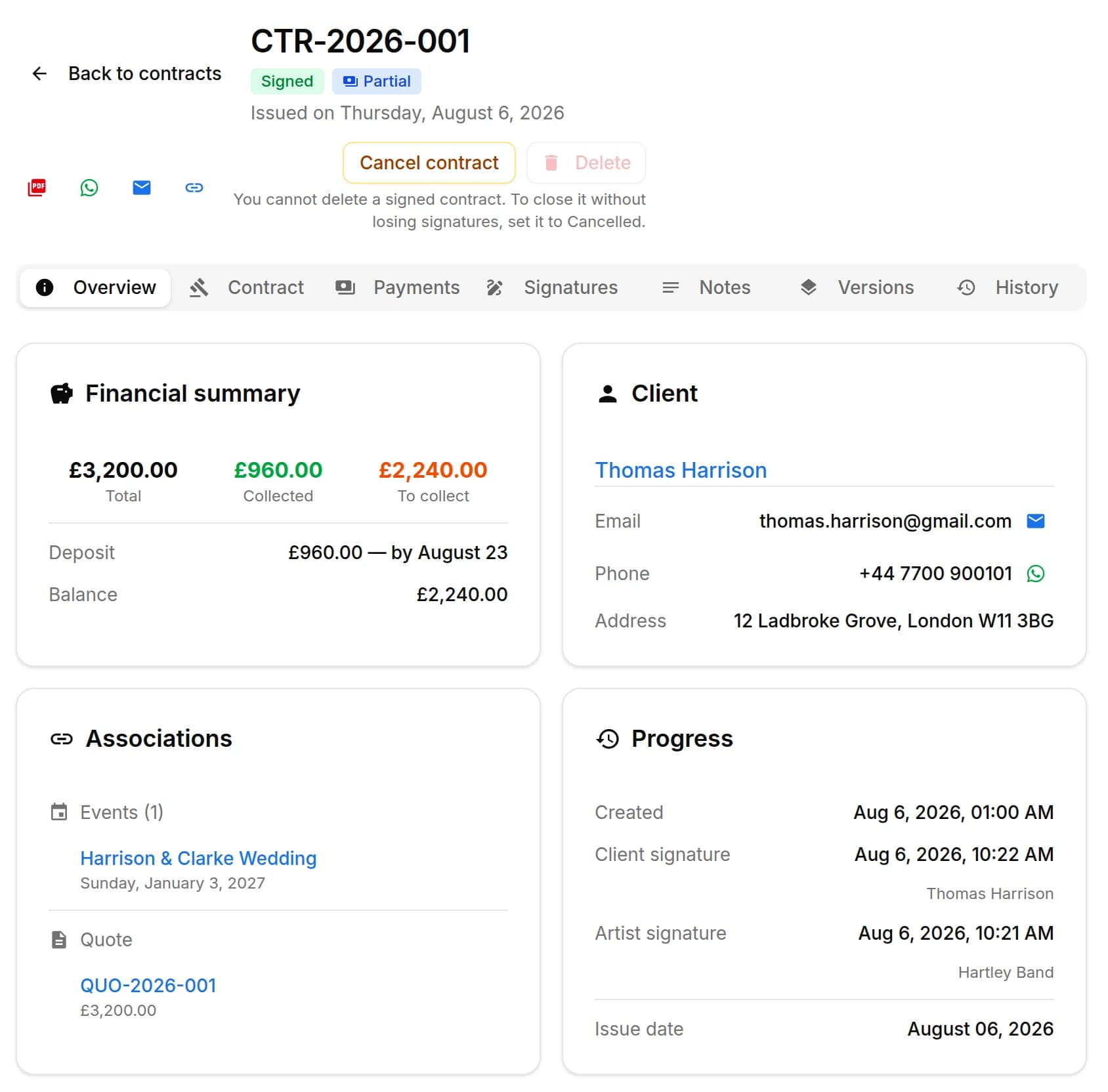
Quotes and contracts

Create professional quotes and contracts for music services from separate content and layout templates, with rich text editing, preview-consistent PDFs, services and expense reimbursements, online quote acceptance, public links and click-to-accept simple electronic signature without a client account.

  • Separate content and layout templates
  • Online quote acceptance and evidence PDF
  • Click-to-accept simple electronic signature on contracts
Band quotes and contracts

Gigs, rehearsals, tasks

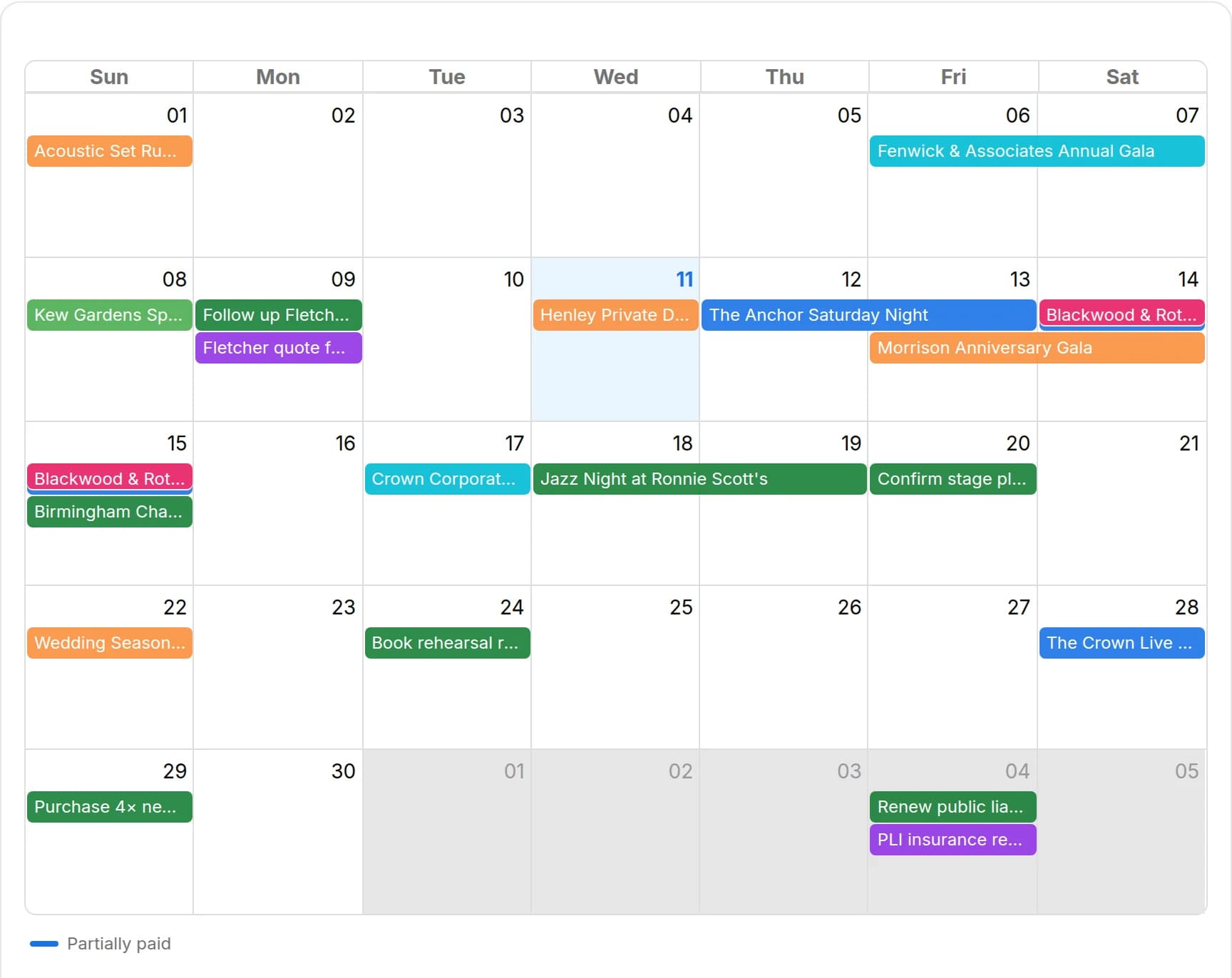
Event calendar

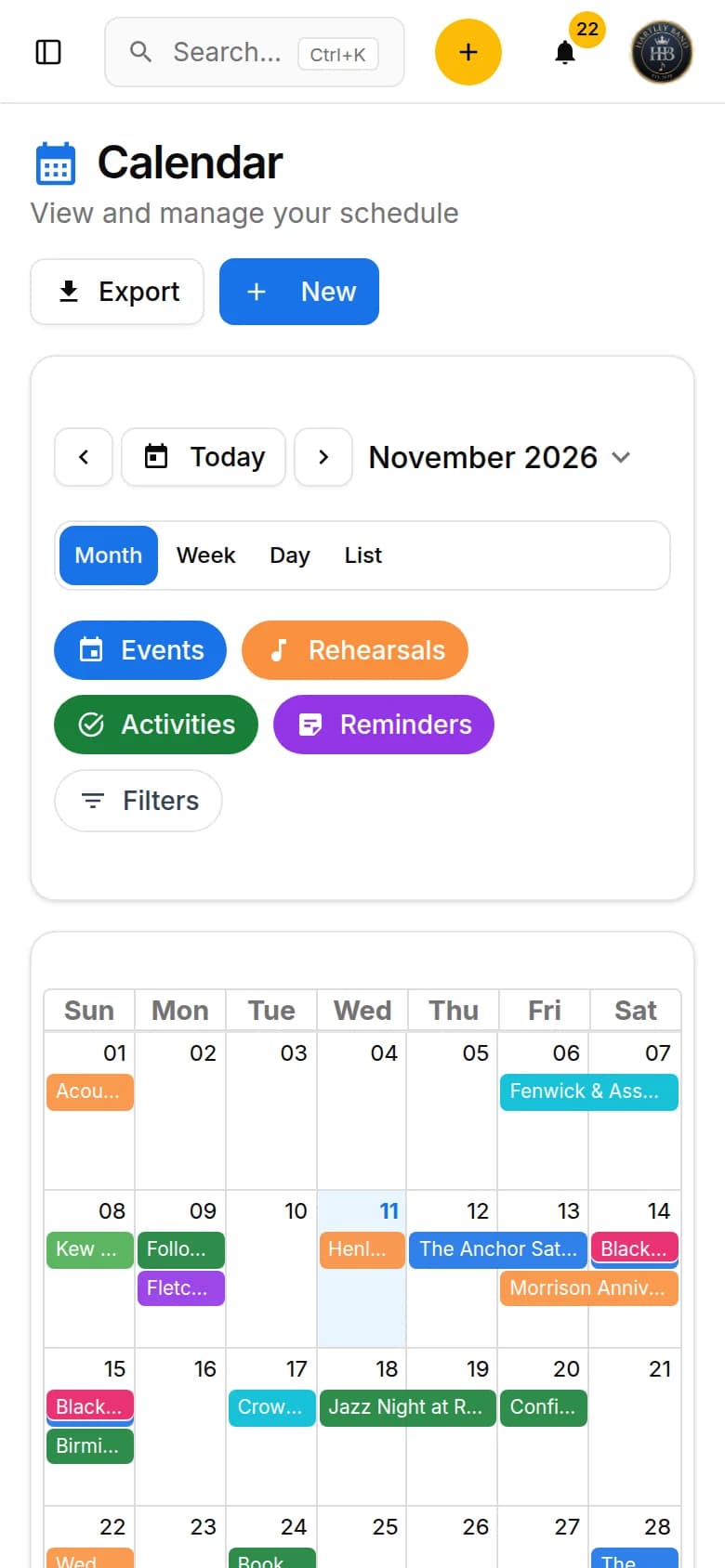
An operational calendar for musicians and bands that connects sales pipeline, clients, gigs, rehearsals, tasks, reminders, lineups, documents, Excel export and personal Google Calendar and Apple Calendar/iCloud sync.

  • Gigs, rehearsals, tasks and reminders in the same calendar
  • Filters by type, status, client, lineup and project
  • Excel export, personal Google Calendar and Apple Calendar/iCloud
Musician event calendar

Songs, order, requests

Setlists and repertoires

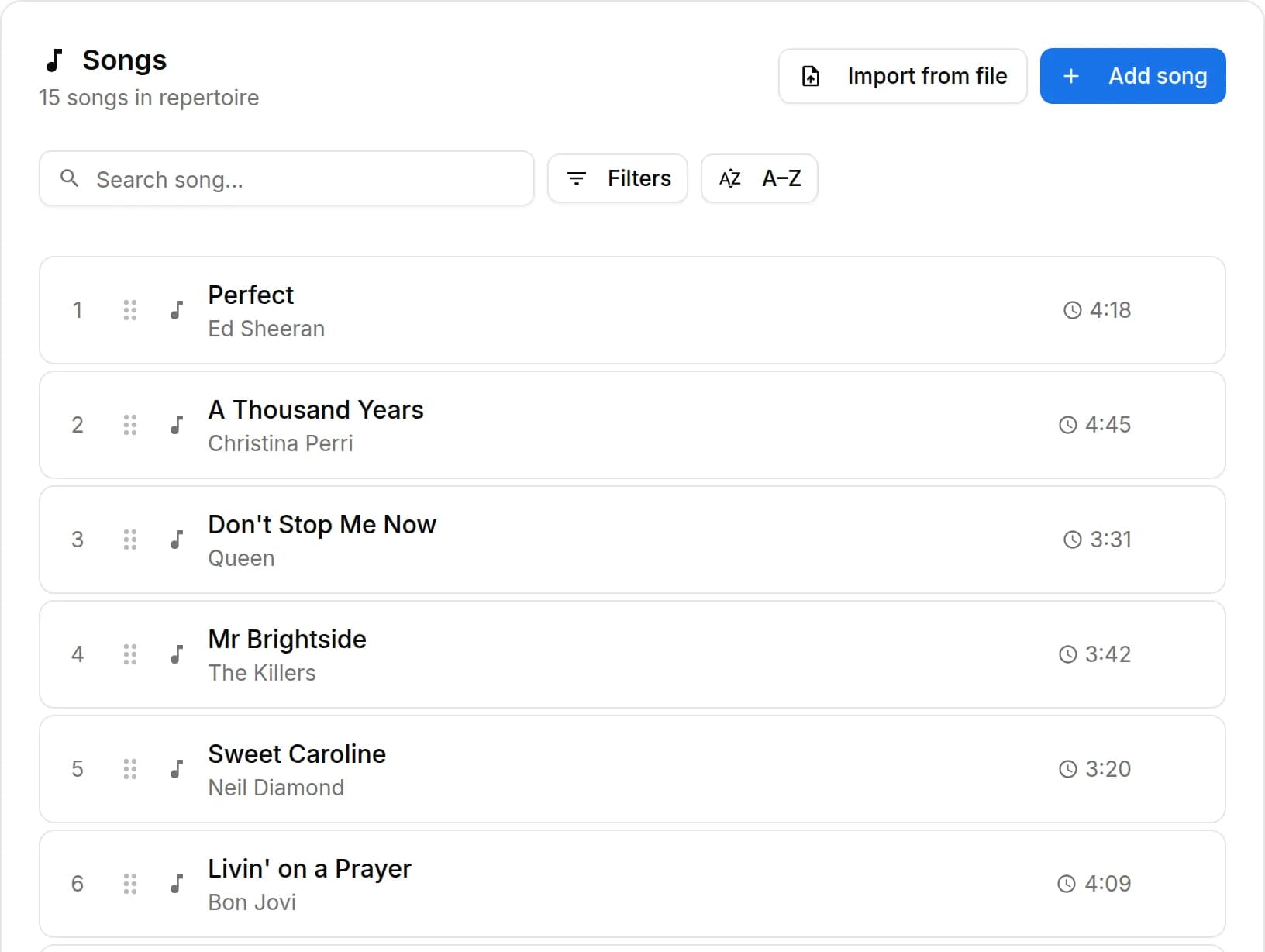
Organize repertoires, song catalog, keys, notes, total duration, event setlists, song requests from the audience or client, exports and public shares in a workflow connected to events.

  • Repertoires linked to projects, clients and lineups
  • Reorderable event setlists with total duration
  • Public links for song requests from the audience or client
Band setlists and repertoires

Event finances

Fees and Finances

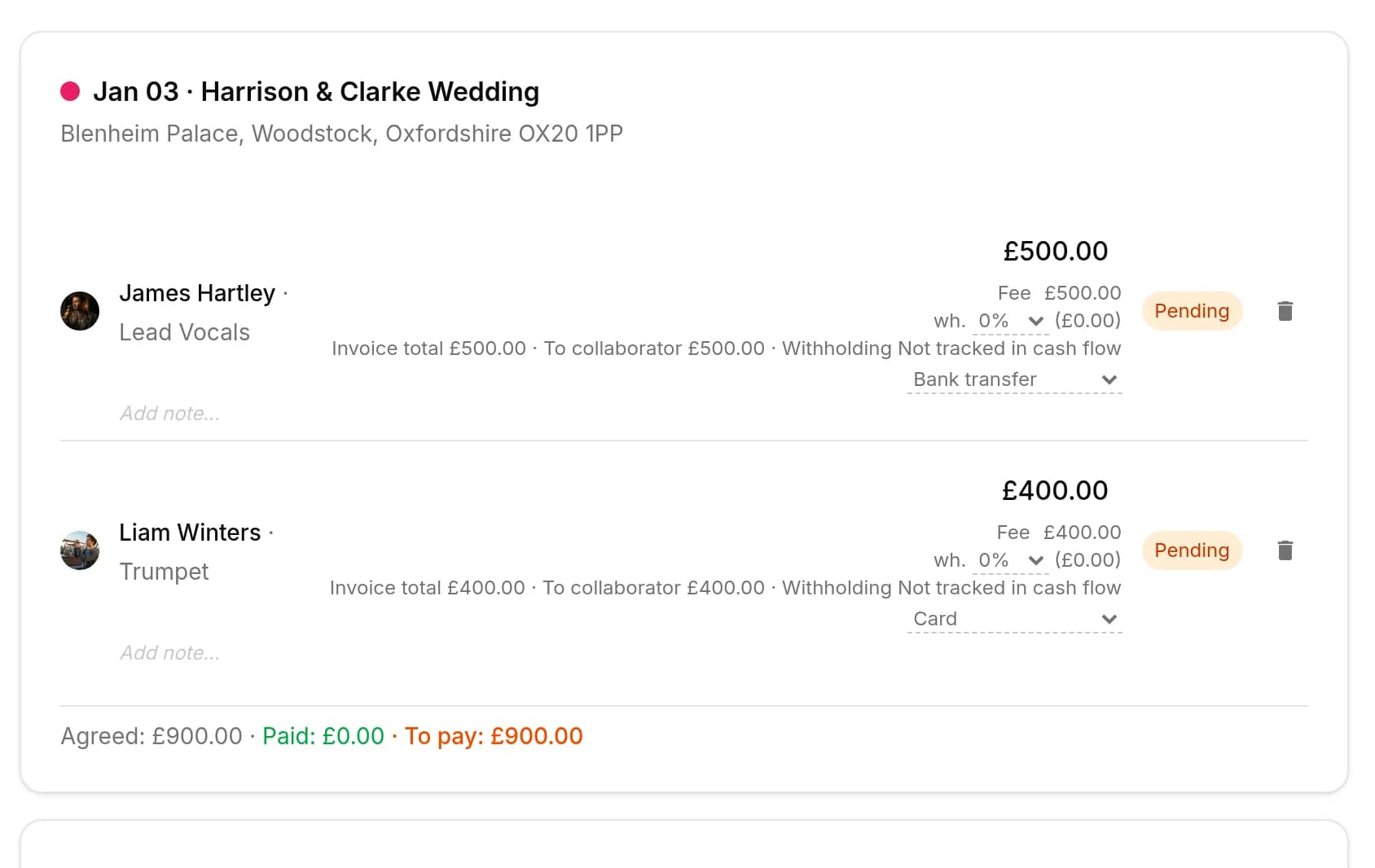
Track event money on two clear layers: client collections and customer refunds (commercial documents and the Finances tab), and collaborator fees with advances, line items, withholding and expense reimbursements. Summaries by period, event or musician.

  • Client collections and collaborator fees stay distinct
  • Finances tab: revenue, cash, costs and margins
  • Event, Collaborator and Summary views for fees
Fees and event Finances

Operational archive

Documents and media

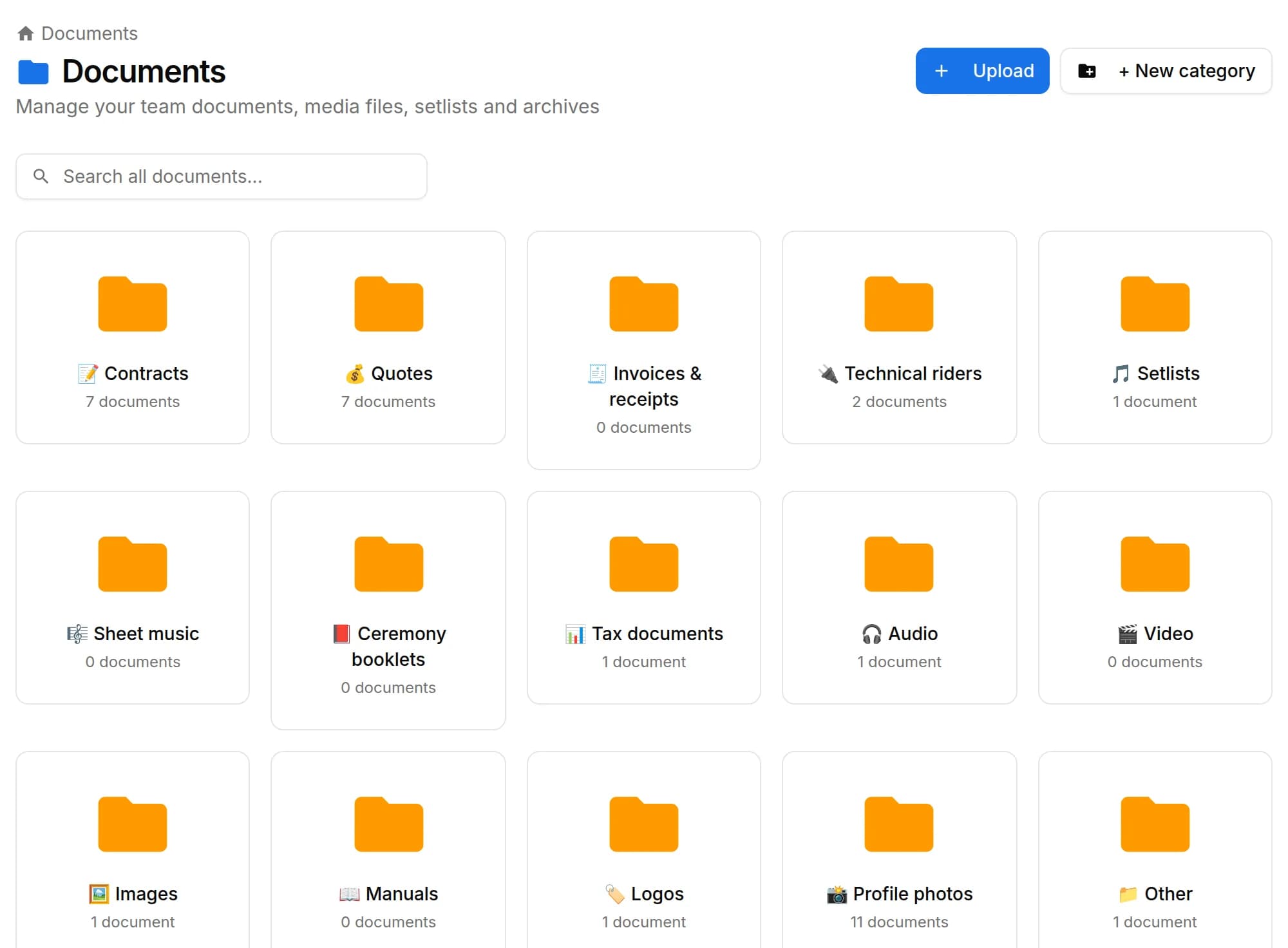
Organize PDFs, riders, contracts, quotes, images, audio, video, versions and public links in a cloud archive connected to clients, events, collaborators, lineups and projects, with contextual upload dialogs, PWA offline and controlled collaborator visibility on the event.

  • Cloud archive with folders and categories
  • Upload in a dialog without leaving the archive
  • Public links, PWA offline and collaborator visibility on the event
Documents and media archive

Team and lineup

Collaborators and lineups

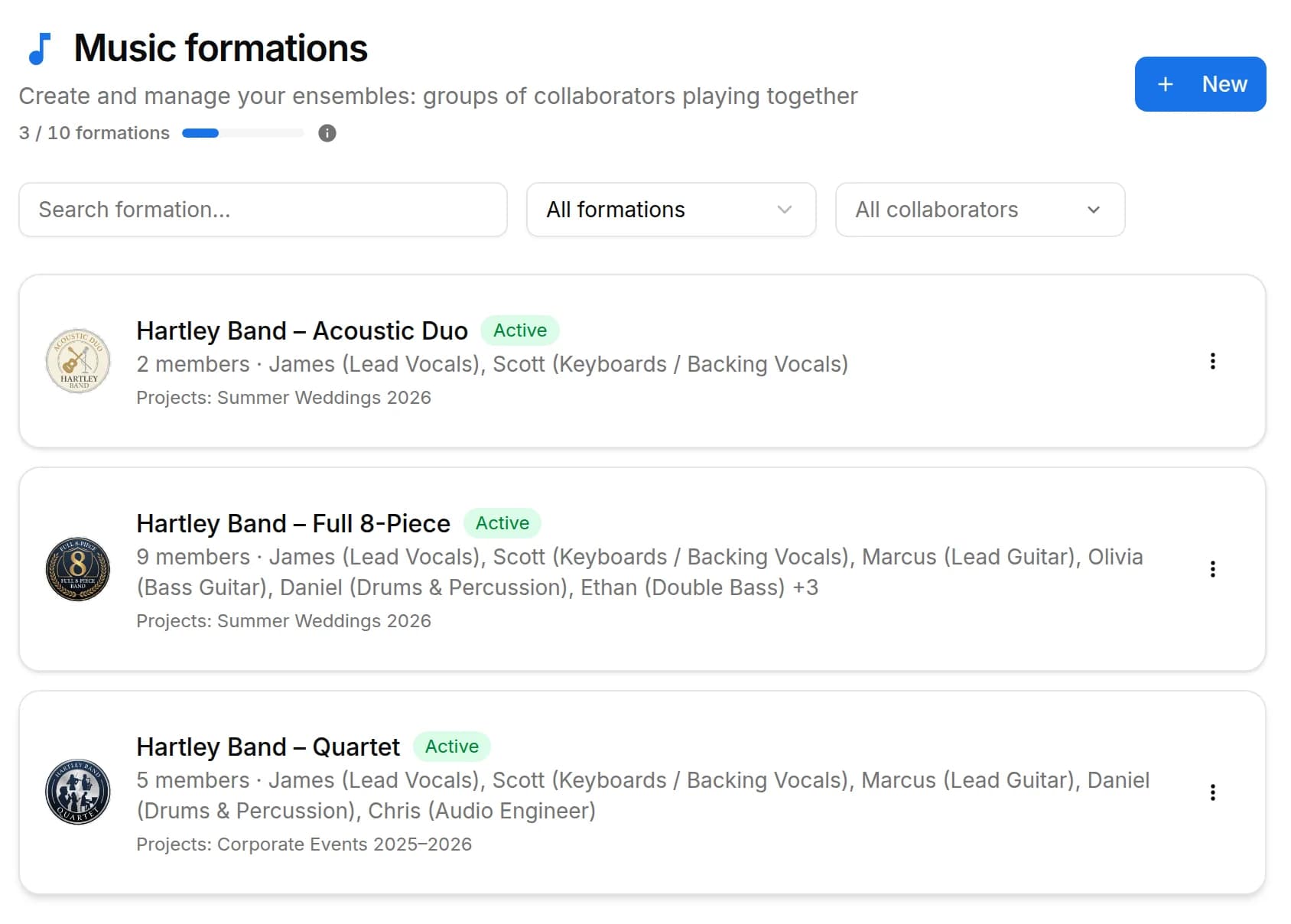
Manage the band's real lineup: core musicians, substitutes, extra collaborators, roles, instruments, lineups, projects, linked events, payments, documents and different team permissions.

  • Collaborator records with roles and instruments
  • Reusable lineups for projects and events
  • Linked payments, documents and permissions
Collaborators and lineups

Every gig under control

Event management

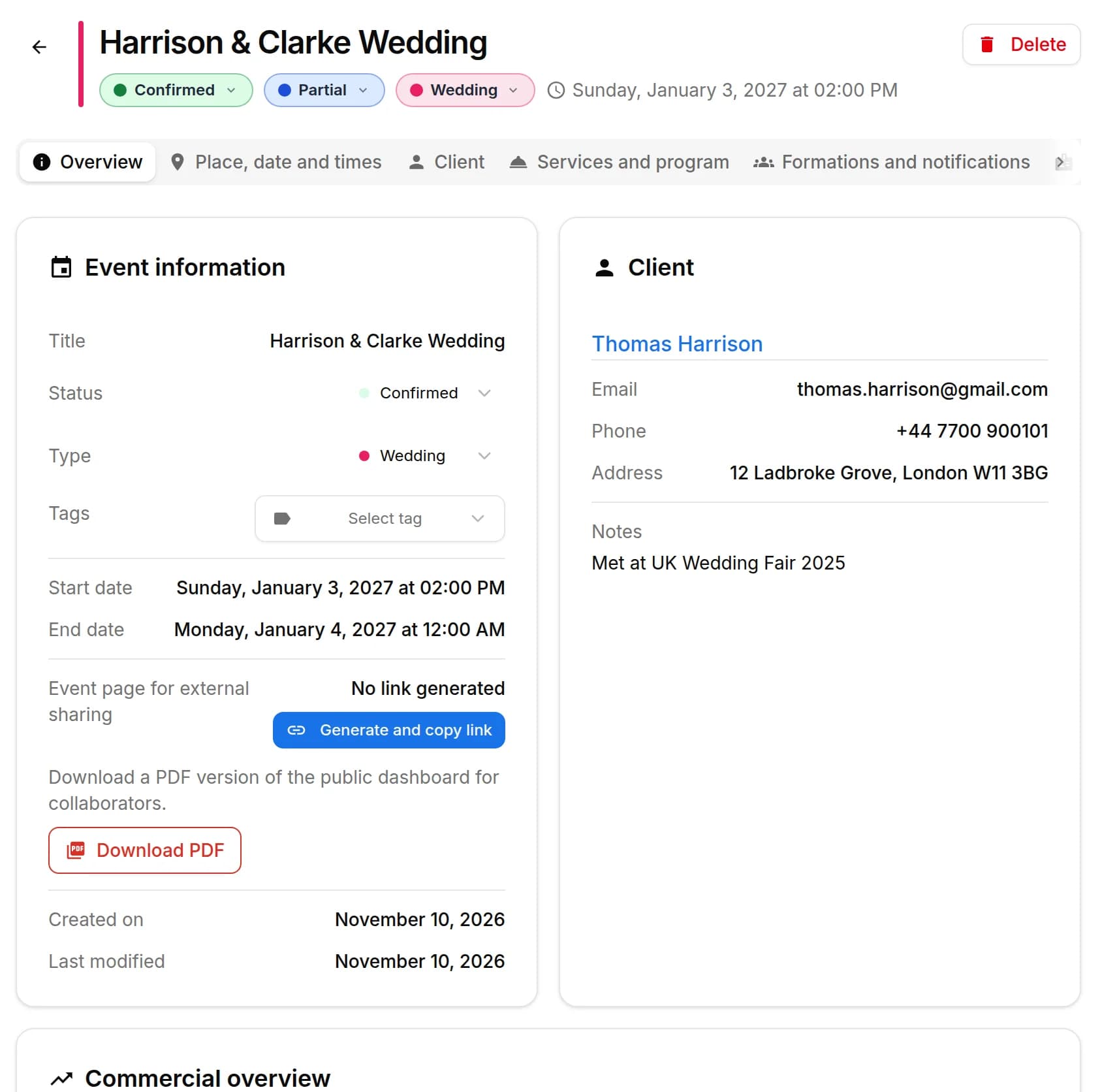
Every BandCalendar event is a full operational record: client, commercial overview, services and programme, lineups and notifications, documents, Finances, to-dos, setlists, logistics, food and accommodation, notes and history.

  • Services and programme, Finances and commercial overview
  • Lineups, documents, setlists and logistics connected
  • Food and accommodation, notes and operational history
Full event record

Logistics and inventory

Vehicles and equipment

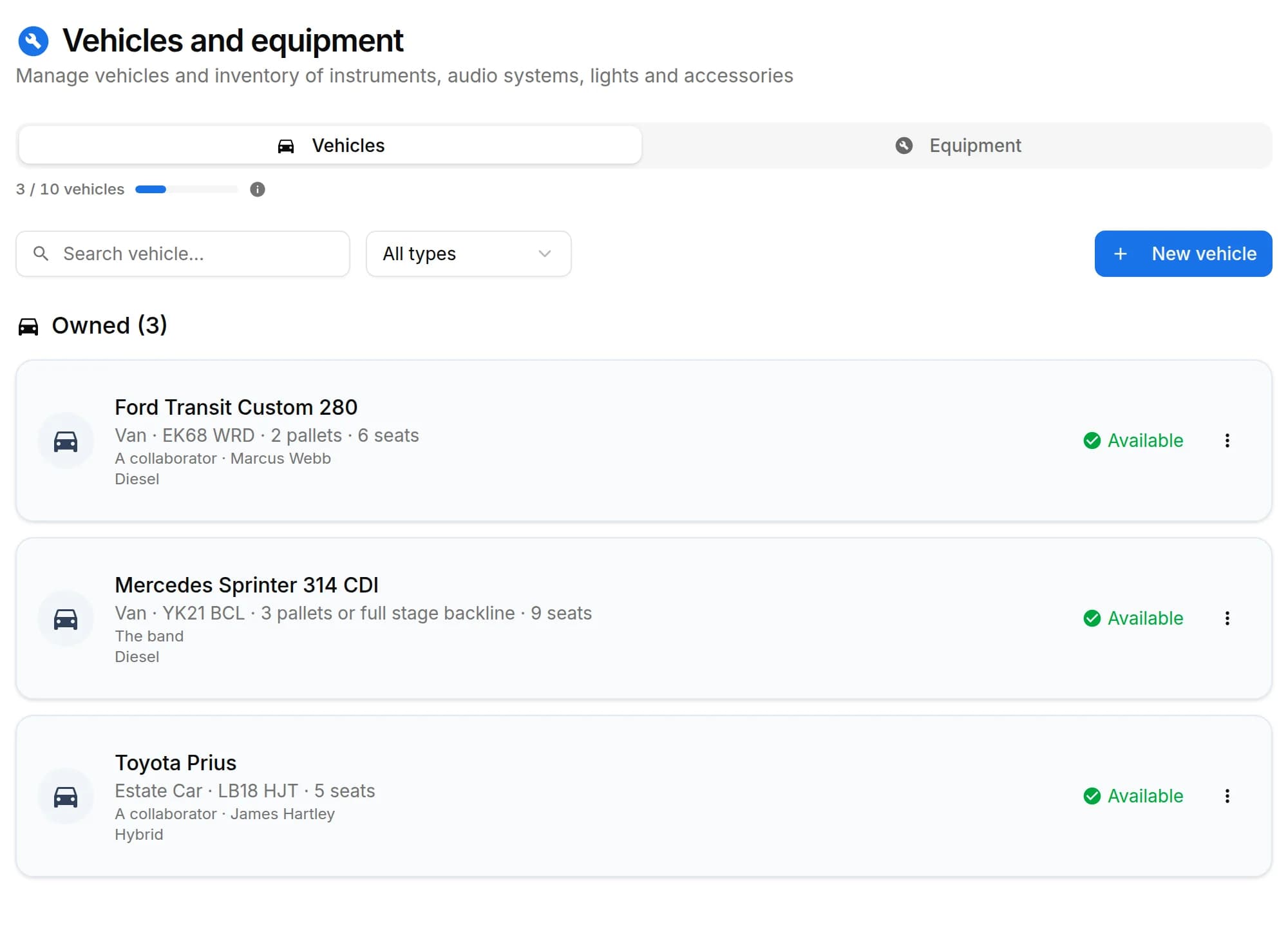
Keep the inventory of PA systems, lights, instruments, vans and cars in one place. Assign vehicles and equipment to events, create preset sets for recurring configurations and always know what to bring, who drives and what's where.

  • Vehicle and equipment inventory with status and notes
  • Assignment to events and reusable preset sets
  • Always-visible availability to avoid clashes
Band vehicles and equipment

On your phone, anywhere

Mobile app (PWA)

BandCalendar installs as a PWA on iPhone and Android without stores: home-screen icon, push notifications, documents you can save offline, and operational access to the management tool on the go, with a touch-optimised interface.

  • Installable on iPhone and Android without a store
  • Push notifications for events, deadlines and reminders
  • Documents and categories savable offline
BandCalendar mobile PWA

From first contact to the gig

Client CRM

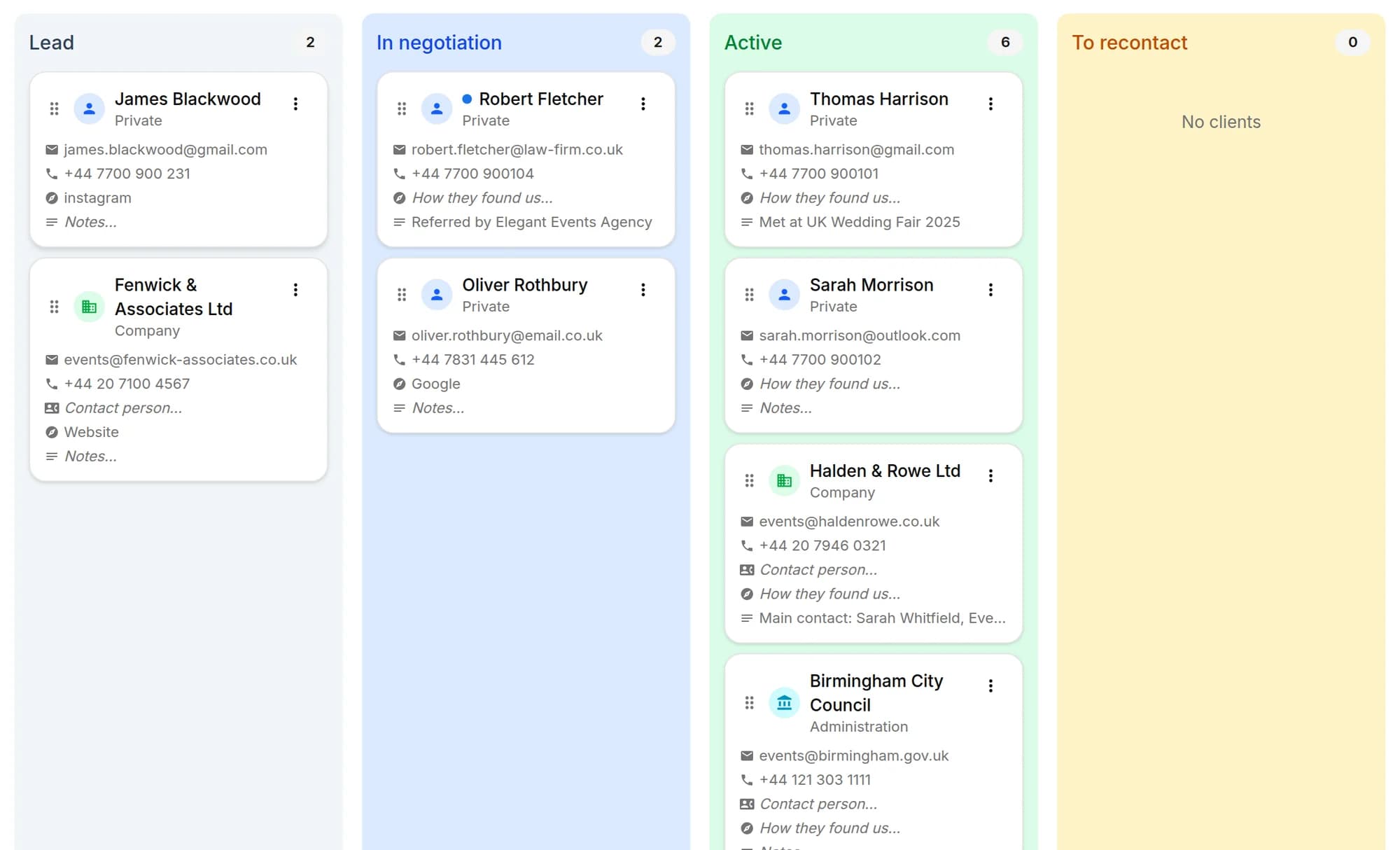
Client directory with a Kanban sales pipeline, custom categories, additional contacts, statistics and import from CSV or Excel. Each client page gathers the events, quotes, contracts, documents and emails of that client, with email and WhatsApp actions in context.

  • Kanban pipeline from lead to completed gig
  • Client and lead import from CSV or Excel
  • Events, quotes, contracts and emails on the same page
Client CRM and pipeline

Write and reply from the app

Emails and client mailbox

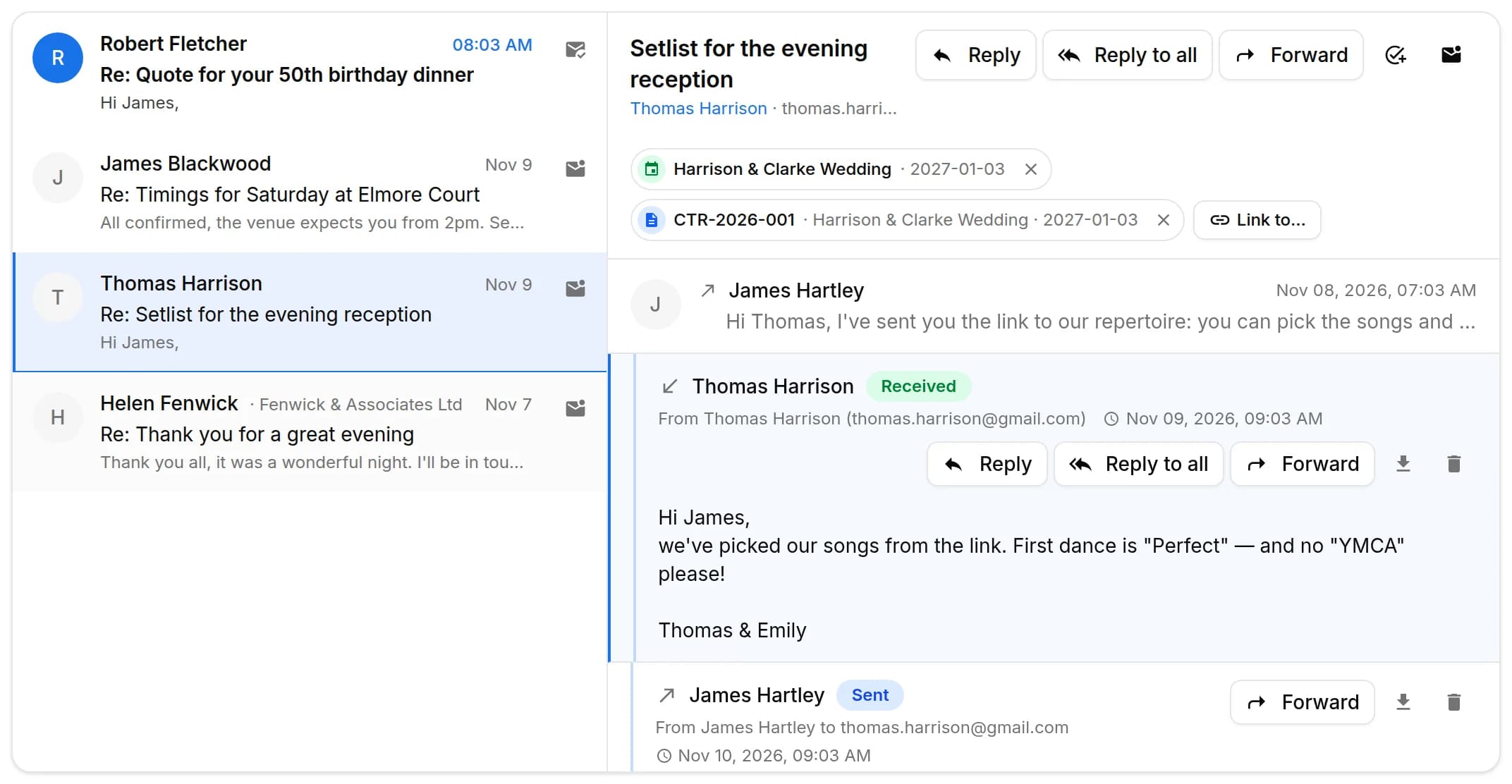
Write to clients from an event, a quote, a contract or the client page and find every email, with the replies, in the conversation of that client. The team mailbox has an inbox, unread messages and search; you can send to several clients at once, schedule a send and connect your own mailbox to write from your address.

  • Emails and replies on the client page
  • Sends to several clients, scheduled and after the gig
  • Connected mailbox to write from your address
Client emails and mailbox

Who does what, by when

Tasks, rehearsals and reminders

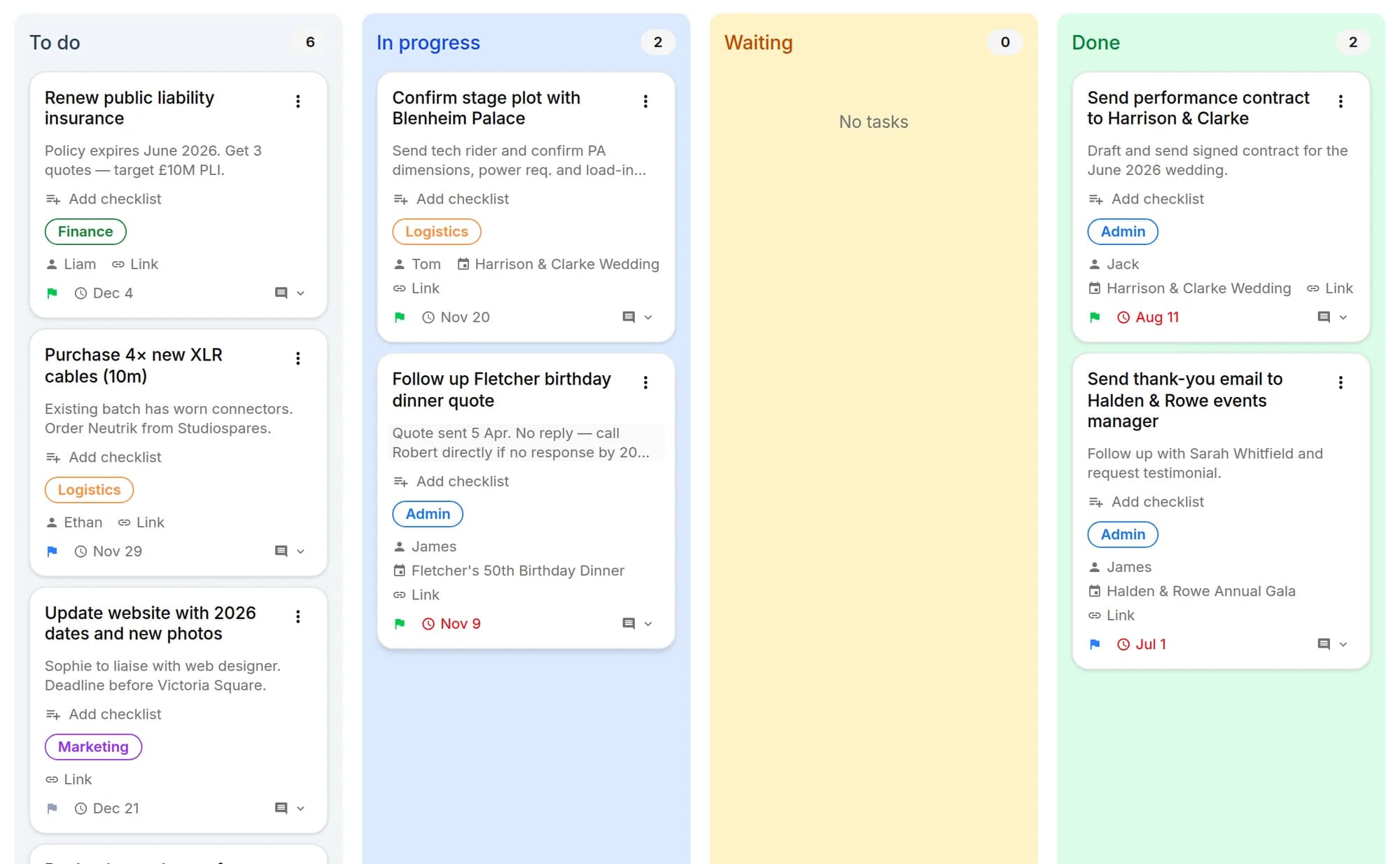
The To-do area brings together Kanban tasks, rehearsals and reminders: priorities, due dates, assignees, checklists, comments and recurrences, linked to clients, events, projects and lineups. Rehearsals have place, times and participants; to pick the date there is the WhatsApp availability poll.

  • Kanban tasks with due dates and assignees
  • Rehearsals with participants and WhatsApp availability poll
  • Reminders and automatic notifications
Tasks, rehearsals and reminders

Everyone sees what they need

Team, roles and permissions

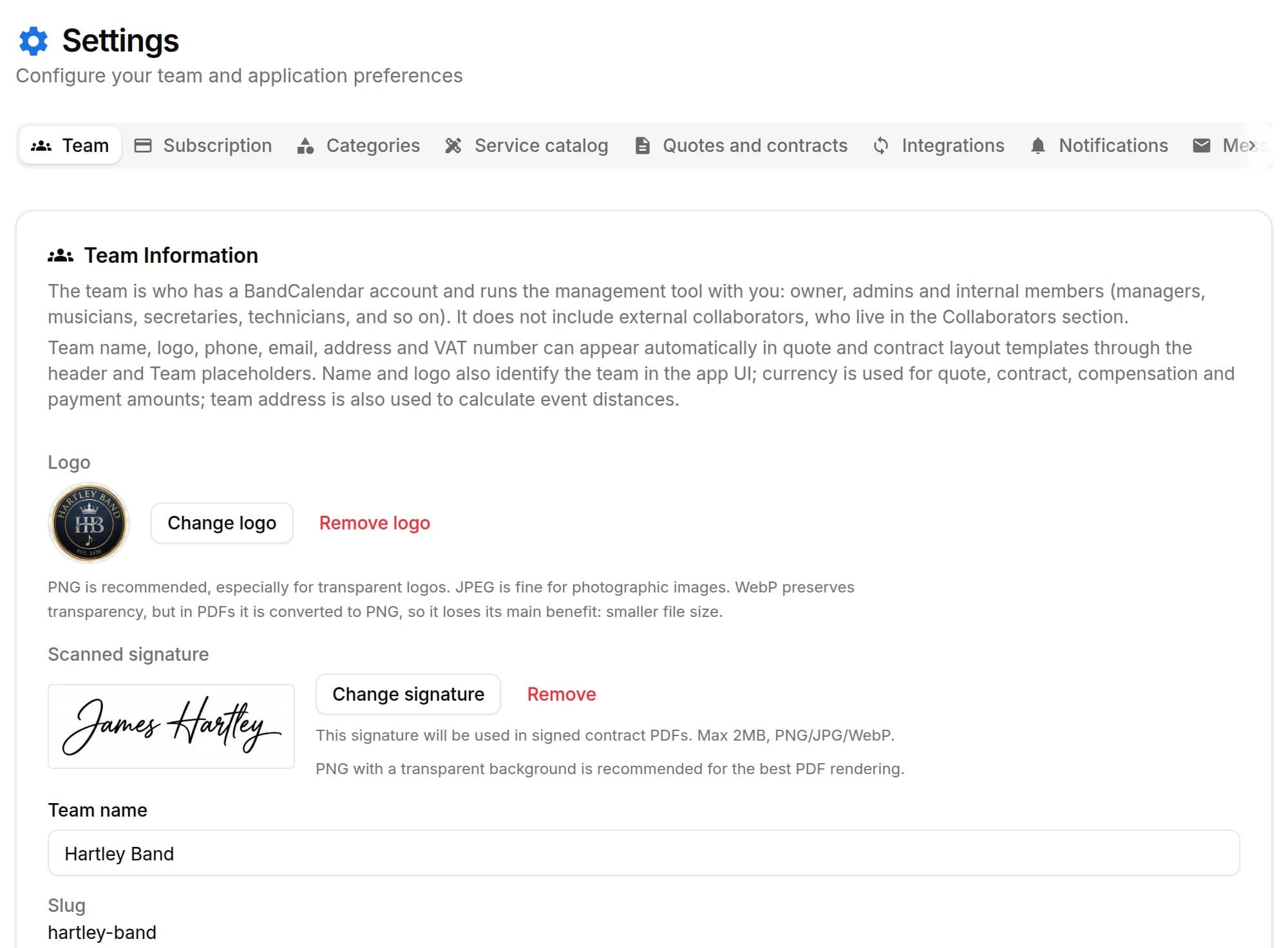
Invite members to the team and decide what they can see and do: default and custom roles with per-area permissions, visibility that can be limited to linked data and to the relevant lineups. The same account can belong to several teams and switch between them.

  • Default and custom roles with per-area permissions
  • Visibility that can be limited to linked events and lineups
  • Several teams with the same account
Multi-user team and permissions

Your data stays yours

Data backup and archive

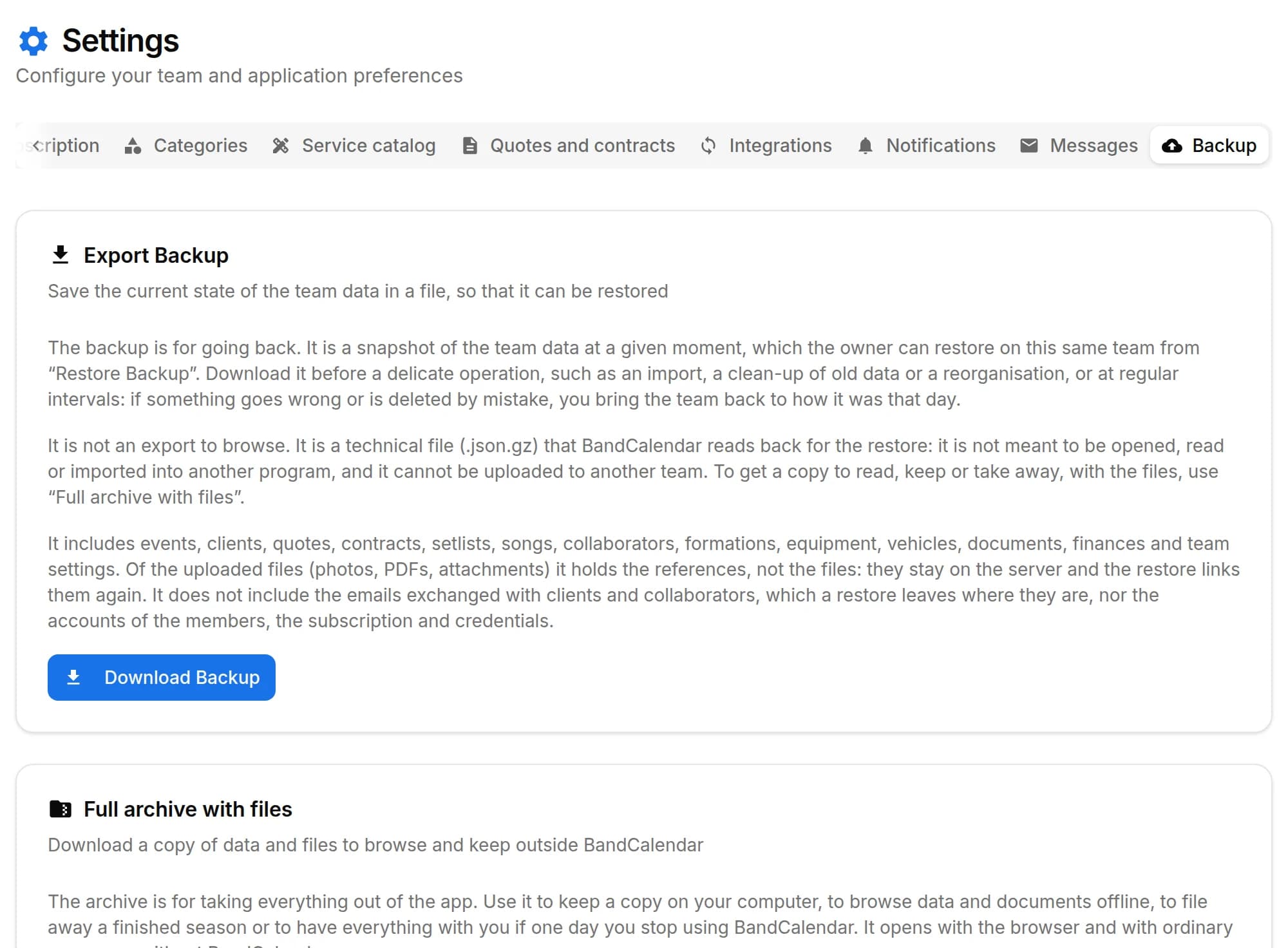
Two separate tools: the data backup, to go back after a mistake with a restore guided by a preview, and the full archive with files, a ZIP with data, documents, photos and emails to browse in the browser, even offline and without BandCalendar.

  • Data backup with a preview before the restore
  • ZIP archive with files and emails, browsable offline
  • Files of deleted documents kept for 30 days
Backup, restore and archive

Start from your real workflow

Pick the page closest to your work, then follow the connected features and guides.