01
A wrong import or an accidental deletion with no way to go back
Two separate tools: the data backup, to go back after a mistake with a restore guided by a preview, and the full archive with files, a ZIP with data, documents, photos and emails to browse in the browser, even offline and without BandCalendar.
In this page
Common friction
A wrong import or an accidental deletion with no way to go back
The fear of being tied to a piece of software without being able to take your data away
Contracts, quotes and riders needed even when there is no connection
A finished season to file away together with its documents
Exports that hold the data but not the files they refer to
Definition
A backup is for going back: it is a snapshot of the data that the program reads back to restore it. An export is for taking the data out, to read and keep it. BandCalendar offers both: the data backup, which the owner restores on the same team after a preview, and the full archive, a ZIP with data, files and emails that opens in the browser without the app.
Workflow
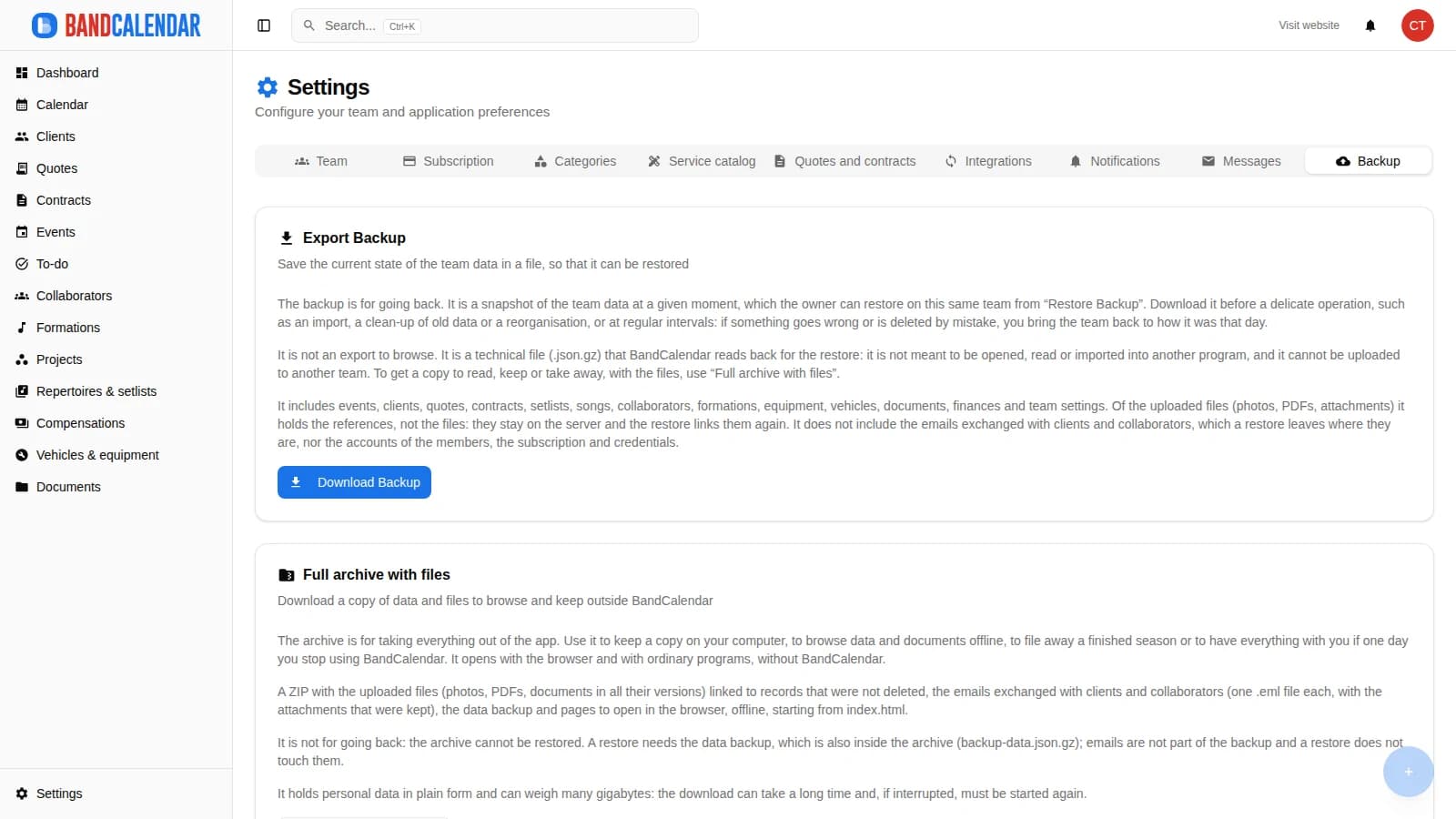
From Settings → Backup you download the snapshot of the team data before a delicate operation, such as an import or a clean-up, or at regular intervals.
To restore, choose the file: BandCalendar shows version, date, team, record counts and warnings about what would be lost, without writing anything.
The owner confirms the same file and the team goes back to how it was that day. Links already sent to clients keep working and emails stay where they are.
When you want your own copy, you download a ZIP with pages to browse, documents in all their versions, photos and emails in .eml format.
Open index.html from your computer: events, clients, quotes, contracts and documents are linked to each other and to their files.
Connected features
Product screenshots
Try the workflow
Use the free plan to reproduce this workflow with your real clients, events, documents and collaborators.
Start by setting up
Internal links
Organize PDFs, riders, contracts, quotes, images, audio, video, versions and public links in a cloud archive connected to clients, events, collaborators, lineups and projects, with contextual upload dialogs, PWA offline and controlled collaborator visibility on the event.
Invite members to the team and decide what they can see and do: default and custom roles with per-area permissions, visibility that can be limited to linked data and to the relevant lineups. The same account can belong to several teams and switch between them.
Write to clients from an event, a quote, a contract or the client page and find every email, with the replies, in the conversation of that client. The team mailbox has an inbox, unread messages and search; you can send to several clients at once, schedule a send and connect your own mailbox to write from your address.
Client directory with a Kanban sales pipeline, custom categories, additional contacts, statistics and import from CSV or Excel. Each client page gathers the events, quotes, contracts, documents and emails of that client, with email and WhatsApp actions in context.
BandCalendar helps entertainment agencies, live-entertainment companies and organizations coordinating many performers manage numerous lineups and projects, clients, events, documents and finances through a multi-user team with granular permissions.
BandCalendar installs as a PWA on iPhone and Android without stores: home-screen icon, push notifications, documents you can save offline, and operational access to the management tool on the go, with a touch-optimised interface.
FAQ
Yes. From Settings → Backup you download the data backup or the full archive with files: a ZIP with pages to browse, documents, photos and emails, which opens without BandCalendar.
For going back. It is a snapshot of the team data that the owner can restore on the same team, for example after a wrong import or an accidental deletion.
It holds the data and the references to the files, not the files. To get documents, photos and emails too there is the full archive with files.
The file is no longer visible to anyone and is kept for 30 days: if within that time you restore a backup that contains it, it is linked to its document again. Then it is deleted for good.
Whoever has the Backup permission downloads; among the default roles, owner and Admin have it. The restore is reserved for the team owner.
No. Emails are not part of the backup and a restore leaves them where they are; the preview warns if something would be lost because its client is not in the file.
Compare related workflows, then open the free plan when you are ready to test it on a real booking.