How to Set Up a Shared Google Calendar for Your Band (and When It Stops Working)
Learn how to set up a shared Google Calendar for your wedding or function band—separate calendars, colour coding, pencilled dates, and dep availability—plus when it's time to upgrade.
Published · BandCalendar
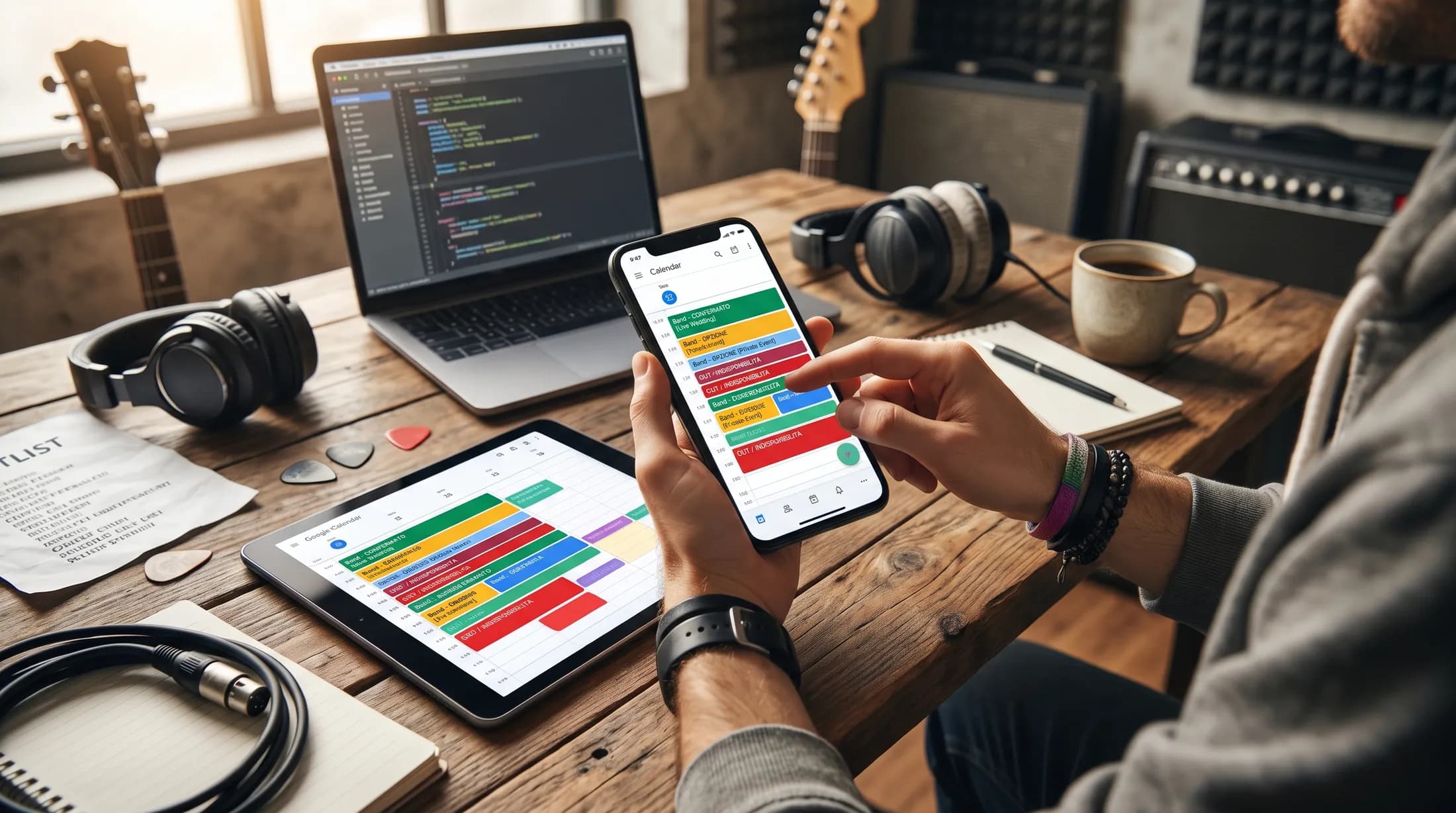
For almost every working wedding or function band, a shared Google Calendar is the first step away from chaotic group chats and sticky notes. It's free, everyone already has it on their phone, and you can set it up in ten minutes.
The problem is that most bands dump everything into a single calendar—confirmed gigs, pencilled holds, rehearsals, and personal holidays. Within a couple of months, nobody trusts it anymore, and the WhatsApp or iMessage thread fills up again with "Wait, are we actually booked on June 14th or was that just an enquiry?"
Here is how to set up Google Calendar properly for your band, and the exact point where a generic calendar starts costing you time and gigs (and when to switch to a dedicated band event calendar).
The short answer
To make Google Calendar work for a band, create at least 3 separate calendars (Confirmed Gigs, Pencilled Dates/Holds, and Member Unavailability), enforce a strict event naming convention, and restrict editing rights so only the bandleader updates bookings. This setup works well up to roughly 15–20 gigs a year with a fixed lineup. Once you add deps/subs, multiple lineups, or high-volume enquiries, you'll hit hard limits.
Why a single shared calendar breaks down fast
Putting every band-related event on one calendar creates three predictable headaches:
- Pencilled dates look like confirmed bookings. A band member sees "Smith Wedding – Manor House" on their phone, turns down a dep gig, and finds out two weeks later that the couple never paid the deposit.
- Unavailability gets buried. Your drummer blocks out a family holiday in the exact same colour as a rehearsal, and whoever handles enquiries quotes the date anyway.
- Accidental edits happen. One stray tap on a smartphone deletes or drags a gig to the wrong weekend, with no clear audit trail.
The fix is separating your layers from day one.
How to set up Google Calendar for your band in 4 steps
1. Create 3 (or 4) colour-coded calendars
Don't use your personal calendar. On desktop, open Google Calendar, click the + next to Other calendars, and choose Create new calendar. Set up one calendar per layer:
| Calendar name | Suggested colour | Who can edit | What goes in it |
|---|---|---|---|
| Band – Confirmed Gigs | Green | Bandleader / manager only | Bookings with a signed contract and deposit paid |
| Band – Holds / Pencils | Yellow / Orange | Bandleader / manager only | Active enquiries and temporary date holds |
| Band – Unavailability | Red | All band members | Holidays, other gigs, day-job conflicts |
| Band – Rehearsals (optional) | Blue | Bandleader only | Rehearsals, promo shoots, showcase dates |
This lets every musician toggle layers on or off and immediately see whether a Saturday in July is locked in, pencilled, or missing a key player.
2. Lock down your sharing permissions
In each calendar's sharing settings, be strict about who can change what:
- For Confirmed Gigs, Holds / Pencils, and Rehearsals, give band members See all event details (view-only). Only the person handling client bookings should move a date from Hold to Confirmed.
- For Unavailability, give everyone Make changes to events so musicians can block off dates themselves as soon as plans come up.
3. Standardise your event titles
A calendar is only scannable if every entry follows the same format. Use clear prefixes at the start of the title:
- Confirmed gig:
[CONFIRMED] Smith Wedding – Manor House (5-piece) - Hold / Pencil:
[HOLD 48h] Corporate Event – London (Trio) - Unavailability:
[OUT] Alex (Bass) – Dep gig
Putting the status in brackets at the front also saves you when band members view the calendar inside Apple Calendar or Outlook, which don't always preserve your Google colour scheme.
4. Put the essential gig details in the description
To stop answering the same five questions every Thursday night, include a standard block in every confirmed gig description:
- Full venue address and load-in / parking notes
- Arrival, soundcheck, and set times
- Confirmed lineup (including any deps/subs)
- Dress code / band attire
- Link to a shared folder with the setlist, first dance request, and technical rider
5 signs your band has outgrown Google Calendar
Google Calendar was built for office meetings, not live music logistics. If you play 15 gigs a year with the same four people, it will serve you well. Once your booking volume grows, however, you'll run into limits no colour-coding trick can fix:
- No real hold management. When two couples enquire about the same Saturday, Google Calendar won't track hold expiry deadlines or manage a waitlist. (See our guide on how to handle conflicting wedding band inquiries).
- Dep and sub availability is a manual chase. You can't share your main band calendar with 15 freelance deps, nor can you see at a glance who has accepted a call and who hasn't replied yet. For that, you need a proper dep and substitute musician workflow.
- Zero connection to quotes, contracts, or payments. The calendar shows the date, but it doesn't tell you whether the contract is signed, the deposit has cleared, or how much each musician is owed. You end up juggling Google Calendar, WhatsApp, email, and a band booking spreadsheet.
- No double-booking protection across lineups. If you run multiple lineups or an agency roster sharing musicians or PA gear, Google Calendar won't warn you when you accidentally book the same sax player on two weddings on the same day. (We cover this in our guide to managing multiple band bookings on the same day).
- Last-minute changes get missed. If the venue manager pushes load-in back by an hour and you edit the Google Calendar description, your bandmates don't get a clear alert highlighting what changed—so someone still shows up at the old time.
The hidden cost of stitching tools together
When Google Calendar stops scaling, the biggest cost isn't just the risk of a double booking—it's the hours the bandleader burns copying details between calendars, chats, emails, and spreadsheets. We call this the Coordinator Tax, and for a busy function band it easily adds up to several hours of unpaid admin per gig.
Moving from Google Calendar to purpose-built band software
Upgrading to band management software doesn't mean ditching Google Calendar—it means stopping it from acting as a makeshift CRM. With BandCalendar:
- every enquiry starts as a hold and converts to a confirmed gig in one click, with zero copy-pasting;
- every booking keeps calendar, lineup and dep availability, quote, contract, deposit status, and gig sheet in one place;
- conflicts and musician unavailability are flagged automatically before you confirm a date;
- every band member still gets their confirmed gigs synced straight to their personal Google Calendar or Apple Calendar, always up to date.
Ready to stop juggling Google Calendar, group chats, and spreadsheets?
Try BandCalendar for free: manage gigs, holds, deps, quotes, contracts, and payouts in one place—with automatic calendar sync for your whole band.
Frequently asked questions
How do you share a Google Calendar with band members without creating chaos?
Create at least three separate colour-coded calendars: Confirmed Gigs (green), Holds/Pencils (yellow), and Member Unavailability (red). Set the gig and hold layers to view-only for musicians, allowing editing access only on the unavailability layer.
How can a band handle date holds and conflicting enquiries on Google Calendar?
Use a dedicated 'Band – Holds / Pencils' calendar with bracketed title prefixes like '[HOLD 48h]'. However, Google Calendar cannot track hold deadlines or waitlists automatically, so high-volume bands generally upgrade to dedicated band management software.
Can musicians sync BandCalendar gigs with their personal Google Calendar?
Yes. BandCalendar automatically syncs confirmed gigs, call times and schedule updates straight to each musician's personal Google Calendar or Apple Calendar feed.